
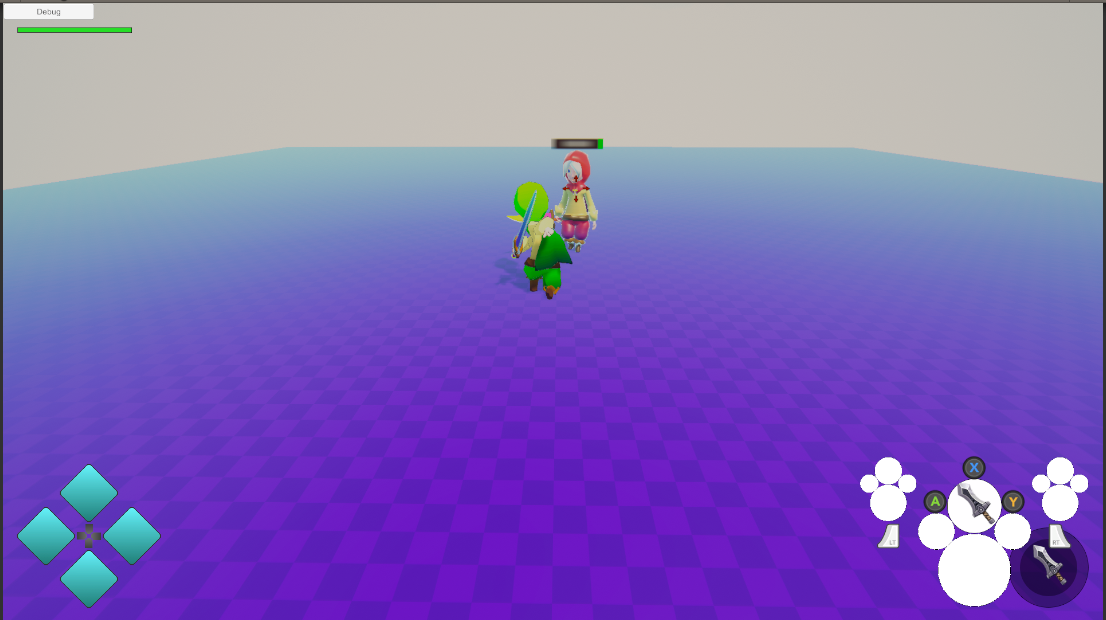
Phae Project Dev Log 14: Making the character face the target when attacking
Dev Log 14
I achieved rotating the character to face the enemy target when attacking. Unfortunatly I did not have time to do anything else. I do have a new project that I will start soon, which is the reason I could not put more hours on the phae project. It will be a fun project and some of the code will be useful for the phae project.
Here is the breakdown of this week:
Tuesday: 2h
So last week i said I was finished with the camera… but testing the LockOn a few times made me think that I should make tiny little tweak to fix the transition weird behaviors. To do that I added a second transition camera. So I have one for both the FreeLook -> LockOn and the LockOn -> FreeLook transition. I also made my coroutines safe so that if I spam the LockOn button it stops the current coroutine and starts a new one. Now the behavior is much more predictable because even if the target changes during a transition the camera is not affected by it.
Wednesday : 0h
I did not have time to work on them game on Wednesday.
Thursday : 0h
I’ve been doing some researching for another project. I ended taking too much time on the research and I couldn’t spend time on this one. That other project will influence this one though so it’s not like I am putting this project on hold or anything. I might take a few weeks off to work on that other project at some point. But right now I’m just gathering some research material to prepare for it. I’ll reveal more about it on some other future posts.
Friday : 1h
On Friday I decided to try out the game a little. First of all I realised that if I changed scenes the camera + camera transitions were broken. That was simply due to not applying the values to my prefabs correctly, and not correctly setting up the list that stores the possible targets.
I also found a few bugs here and there in the other scenes, which were easy to fix.
Then I added the Lock On Target script to me enemies and it works pretty well. I did get some automatic unlocks when I was too close to the enemy. I am not quite sure what is causing it yet. I’ll have to find out this weekend. This weekend I’ll try two things; attack rotations and enemy knockback. If everything goes well I think I’ll start working on the other project I mentioned before next week already. It is relevant to the crafting abilities. Even though I’ll be focused on that other project, I’ll keep working on this one a little bit on the weekends.
Saturday : 0h
Just as I was about to start working a lot of stuff happened and I ended up doing something else all day.. Installing a new monitor I spontaneously bought. I thought it would be nice having a 144Hz freesync monitor to play games. It took me a long time to set it up and make it work. And actually I’m kind of disappointed I thought it would be better than my other less expensive monitors but it does not feel that way.
On Sunday I’ll work on the character rotation, and if I do not have time for the enemy knockback this week, I’ll do it next week. There’s no rush.
Sunday : 6h
So I was having a weird bug I couldn’t figure out why it was happening. The UI wasn’t reacting to my clicks anymore. After a few hours I realised it was my new monitor that I bought on Saturday to was messing everything up. I believe it is because its 144Hz while my other monitors are 60Hz but I’m not sure. I’m actually quite disappointed by the monitor colors and the 144Hz freesync has caused me more problems than it is worth. So I’ll be returning it and I’ll buy smaller 5:4 side monitor and keep my old monitor as my main monitor. Most of the time spontaneous buying sprees are not good…
Coming back to my game I had to unplug the monitor and restart the computer to make UI work again correctly. Once that was done I finally went onto adding the character rotation when attacking a target.
Writing the logic was not complicated. Simply get the direction of the target in relation with the character and get the rotation difference between the character and the wanted rotation. The thing that was more complicated was making sure the rotation was applied at the correct time.
To do this I inherited the MeleeWeapon script that controls the weapon action. By overriting the start, update and complete “useItem” functions I was able to assign a target to which rotate during the attack. Using events I assign the next target. I do not directly set the target because I do not want to change target in the middle of an attack.
It works fine, just my animation moves a bit too much too fast.
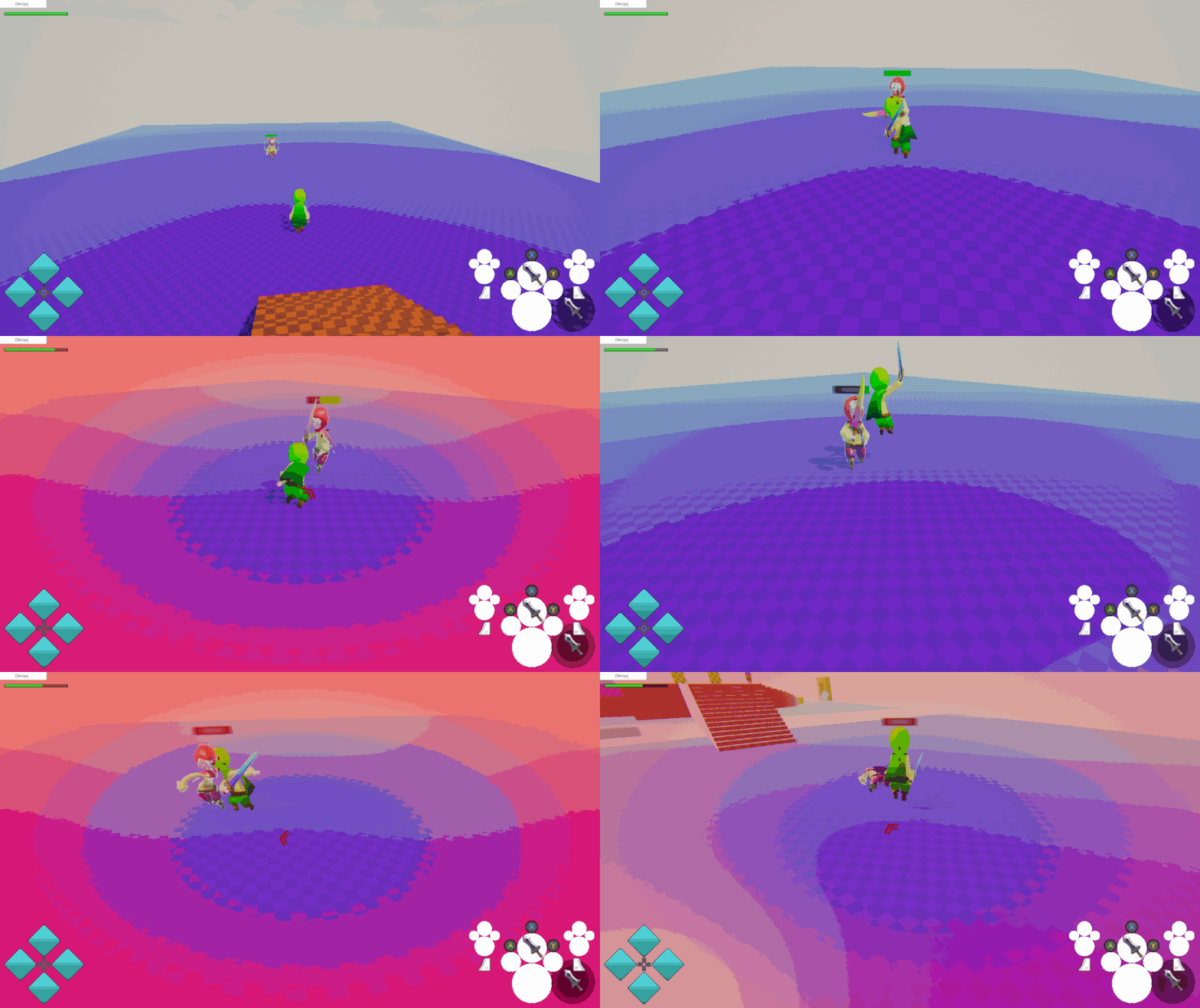
There are things I would like to add such as change target using the direction of the joystick. It would override the “automatic” LockOn target if there is a potential target in the direction of the joystick. This way I can easily change target without moving the camera. The range would be more limited than the LockOn range. Once I achieve that I’ll do the enemy knockback. Then I’ll start the other project I previously mentioned.
Monday: 2h
On Monday I added the attack target override. To do this I made the FindTargetWithHighestPriority from LockOn public and added some parameters so that I could specify the “forward” direction instead of being always the camera forward. This allows me to specify the Input vector direction which I transform to the local space of the character.
So now I can either attack the lockOn target or if the player walks in a direction I can attakc the closest target in that direction.
Here is the result:
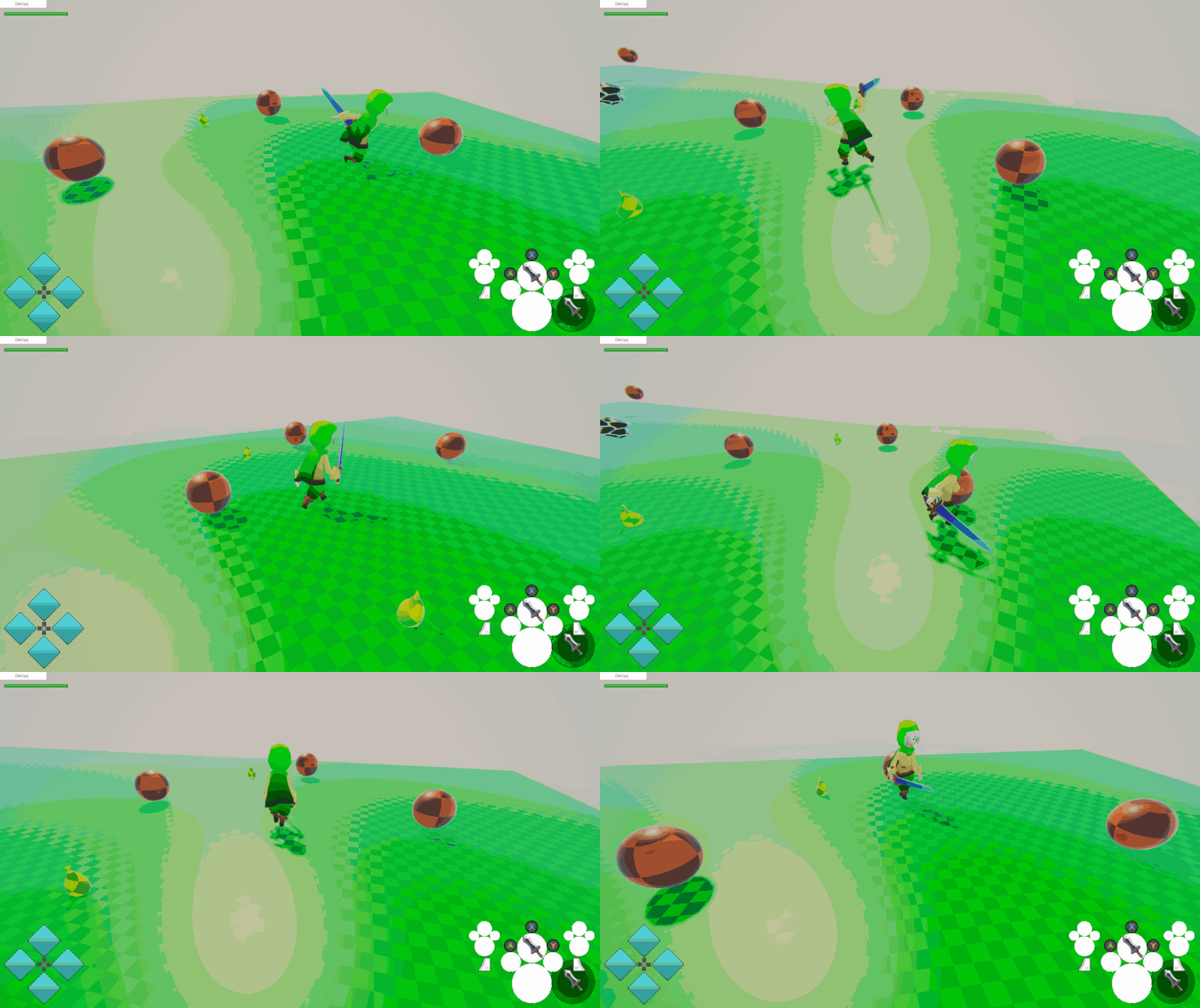
It works pretty well.
Recap: 11h
- Fixed Camera transition bug
- Fixed scene transition bugs
- Added character rotation when attacking target
- Added override of attack target
Well I really didn’t work much this week… but it will probably be like this from now on. From next week I will be juggling four projects including this one. And the phae project has the least priority compared to the other projects. Even if that is the case two of the other projects are tools/frameworks that I will use in the phae project once they are ready, so it’s not like I am abandoning it. I try my best to work on projects that compliment each other. One is the inventory system that I am making for Opsive. And the other is a secret project that I will reveal soon. I just need to do some more planning and I’ll start making some posts about it too. I am not quite sure If I’ll make weekly updates or if I should just make posts after every milestone.
Anyways, even though I work less hours on the phae project, it does not mean that I will put it on hiatus. I will find bitesize tasks that I can complete to make the game better and slowly add more functionality to it. I am guessing that I will do this until I complete my other projects and somehow find a way to sustain myself completely from my own work. Once that day comes I will focus more on the phae project.
Next week I’ll work on enemy knowckback, and if I have time I’ll make a dodge ability.
Until next week!