Phae Project Dev Log 13: Making the LockOn Target scripts Part 3
Dev Log 13
I finally finished the LockOn camera! I had to change some of my requirements to make it work. The biggest one was that I removed the feature to move the camera while locked on… it was causing too many problems. Without this requirement i was able to make a fairly good lockOn system.
Here is the breakdown of this week:
Tuesday: 2h
I tried out the cinemachine dev advice. It did not work unfortunately. But trying it out made me think of something that might work. I’ll have to try stopping a blend mid way by either changing something in cinemachine brain or by spawning a 3rd vcam camera that during one frame. I’ll try that another day.
Wednesday : 2h
I put my idea of using a third “transitional” virtual camera and it works. There is a little hickup/glitch at the frame where it transitions though. I tried a few things but couldn’t removed the glitch. I will need to try again once I have more time.
Thursday : 4h
I made some progress on the camera again. After some tinkering I realized the glitch was caused by the transition where x and y axis of the freeLook camera would go to 0. So I made quite a few changes to the code and I have now removed the glitch. I am so very close to the result I want. The only issue is that I have a little hiccup during the transition, it is not smooth. I tried a few things but couldn’t get rid of it. Once I do I believe I’ll be ready to move the code to my phae project and test it out there.
Friday : 4h
I was able to get rid of the hiccup! It took a while but it works! …Unfortunately I do not think I’ll use it in my game, because of another problem. Moving the camera while moving the character does weird stuff. It is not something I can fix using the technique I use and it would require to redesign to whole thing again, without being sure I can fix it. So I came to the decision that I should start progressing in my game again and that I will simply not have the ability to move the camera while LockedOn a target. If by any chance you are interested in the code I made, the entire demo project can be found here
During the weekend I will port the code from the demo to project phae and make the appropriate changes to make it work. If everything goes well I will start finding a way to rotate my character towards the target when attacking.
Saturday : 8h
I started the day by downloading the TPC update 2.1.2. It should fix my prefab problems normally. But I believe that I will have to remake all of them for the fix the take place.
During the import I did get some errors, which I took the time to carefully read and fix. One of them was FinalIk integration. There was an update to the integration so I had to download that too. The second error was with my custom pickup item ability. The reason being that the base class I was using was refactored. I just had to change the name of one attribute to match the new name.
I also had to fix a tiny error in one of my custom inspector script because of a function refactor.
At that point I was able to press play but I get an error just on start. One of the UI monitors cannot find the character. I think it is a simple typo form the devs, I fixed changing a single if statement.
I also realised that I could not pickup up my items anymore. So I went in the code again to debug that. It turns out the refactor for the detectionAbilities was a bit more complicated than i thought. But after a few minutes of tinkering I fixed the problem and was able to pickup items again.
For the prefabs I did not have to recreate them completely. Just removing the prefab from the scene and bringing them back in fixed my issue. With all of this out of the way I can finally port over the LockOn script and make the appropriate optimizations and changes so that it fits the game.
I had some stuttering that I was able to fix by changing the execution order of the LockOn script to after cinemachine brain updates.
Removing the camera movement while LockedOn function propagated error which I had to fix. Simply the FreeLook camera no longer inherited the position of the LockOn like it was suppose to. After sometime I was able to solve the issue by having that deleted code activate when I activated the Manual LockOn.
After that I tested the LockOn script and came across a few problems. The most annoying one was that the X and Y position of the FreeLook is not set correctly. I was able to fix the Y position bug, which was caused by another script. The X position bug was more tricky, it took me a few hours to fix. I couldn’t figure it out until I tried comparing the set up in my demo and in my game. The camera binding mode was set to follow target with world up. That’s what caused the problem. I remember that I set it this way because I was getting a warning from TPC if I did not. But after looking at the warning I realised I could ignore it, so I commented out. With this I was almost ready to move on. My last issue is during the transition time if my lockon script locks on a new target, the camera snaps. I will need to make sure that transitions do not use the LockOn or FreeLook positions since if these two while they snap.
This will require some more thought so I will leave it for Sunday.
Sunday : 4h
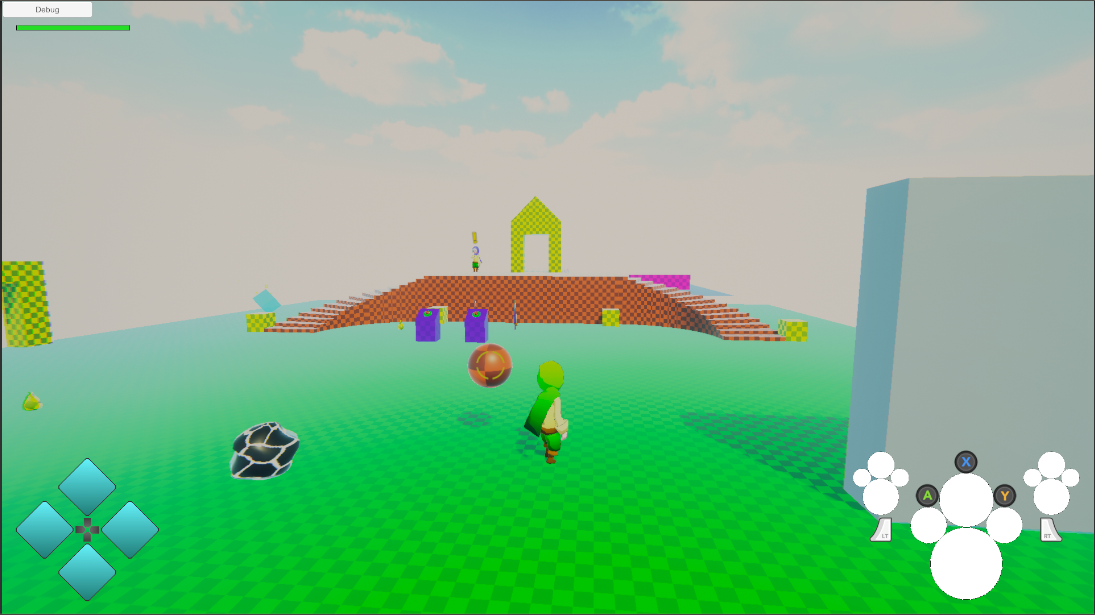
I was finally able to finish the camera LockOn system on Sunday. I was able to fix most of my issues by adding a delay in my code. I realised some of the glitches I was getting was due to the Follow and LookAt target of my virtual cameras snapping position at the same time the cameras where transitioning. So I set up a little delay of 1 frame where the camera is “frozen” by switching to a virtual camera with no follow or Look At, while I snap the targets and the cameras in place then i transition to the cameras. I then reduced the transition times so that the freeze is less apparent. The results are below.
The first video shows the LockOn transitions. As you can see some transitions are a bit rough. I think this can be dealt with by fine tuning the transition times and the Camera collision smoothness
In this video you can see the LockOn behavior when dealing with a wall, from behind and in front. It auto locks out after some time without seeing the target.
On Monday I will focus on optimization and from next week I will be able to finally move on.
Monday: 2h
There was not much to optimize without changing a lot of the code for little improvement. So I decided to leave it like this for now. If one day I have frame rate issues I’ll optimize this, if it is the cause.
I did make a little change though which is that the raycast goes from the camera instead of the character.
I also fixed a bug that was caused by the transition camera not having a cinemachine collider script.
Recap: 25h
- Finished demo LockOn project
- Imported the demo code to phae project
- Made some changes to make it work better
I am finally done with the camera… It took three weeks and I wasn’t able to get exactly what I wanted. I am not too proud of this but I need to move on or I’ll be stuck on this forever. Maybe one day I’ll come back to it and realise I could have fixed everything with a few lines of code.
Next week I’ll rotate my character when I attack so that the character can easily hit the enemies. And maybe I’ll add some knockback on the enemy. The goal will be to hit the enemy with a full combo, without moving the sticks.
Once that is done I’ll add add abilities to my character that can enhance the combat experience, namely dodge, double jump, air attack, etc.. Hopefully I can do all of that during the month of April. I won’t deep to much in the attacks because it will be affected by the inventory update I will do once I finish the asset I am working on with Opsive. Instead I’ll dive in more character abilities for gathering and crafting mini-games.
Until next week!