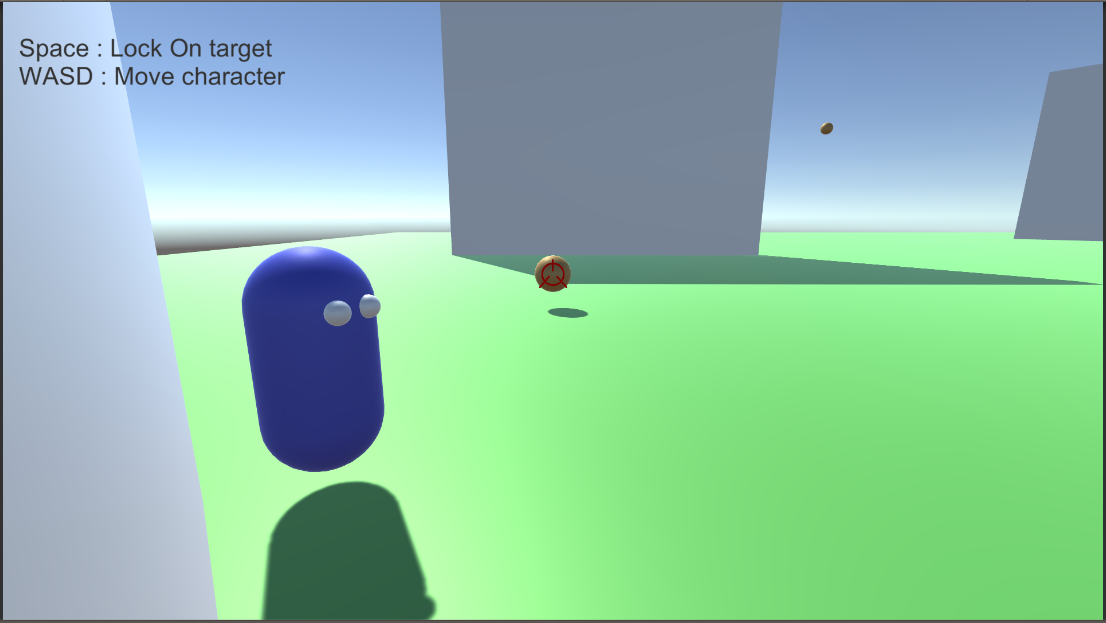
Phae Project Dev Log 12: Making the LockOn Target scripts Part 2
Dev Log 12
Continuing from where I left off last week, I am working on the camera LockOn script. I had to change a few design choices. I am now extremely close to the result I want but I was still unable to fix the snapping problem.
I made a new project so that I could work on the LockOn system without being crowded by the other features in my game.
Here is the breakdown of this week:
Tuesday: 2h
I got an answer from the unity cinemachine forums. They asked for a simple package where they could test my scripts. So I created a new project and imported the relevant scripts. Took me 2 hours to get it working because I made a small mistake and couldn’t figure it out. Simply the script execution order was not set up.
Now that I sent my project to the unity cinemachine devs I hope they will be able to help me out.
Wednesday : 2h
I got some feedback from the Cinemachine devs. First mistake I made was having a different Follow target for both cinemachine camera. The follow target needs to be the same for the inherit position on transition to work. My other problem was my dampen function which was wrong. Instead i am now using the cinemachine dampen function.
Well, after testing there “solutions” for a bit, I clearly see that none of them actually works. I sent a message again asking for more help.
Thursday : 0h
On Thursday I decided to take a break, I will think through another solution for the camera. Hopefully I can find a solution, which removes any possibility of jittering. I’ll do the testing in the demo project I sent to the cinemachine devs. I might need to send it again if I run in other problems.
Friday : 1h
I did some initial testing for some ideas I came up with during the day. Unfortunately I ran into some issues I did not think of. I was trying to use one freelook camera with a lockon camera that would frame the transposer while looking at the target. It almost works but the problem is that inheriting position during transitions, inherits the position on the virtual cameras and not the actual camera. So If my camera transitions during a transition it snaps instead of slowly going back to place.
During the weekend I should have enough time to give it another go. This time I’m thinking of creating my own cinemachine camera.
Saturday : 8h
I started the day reading through the cinemachine source code. I then tried to override the FreeLook camera or even copy paste the entire FreeLook code in my assets. Unfortunately there are problems with access levels. There are functions that are not available outside of the cinemachine package because they are tagged “internal”.
So I contacted the devs again asking how I could change the freelook transition function, so that it would transition to the actual camera position and not the vcam position.
In the meantime I cleaned up, optimized and added features to my Lock On script. I added a angle and distance limit so that you do not lock on targets that are too far or in weird angles. I also made sure that if a target is removed or goes out of range while it is locked then I go back to automatic lockOn.
The way it works is shown in the diagram here

And I made it very customizable
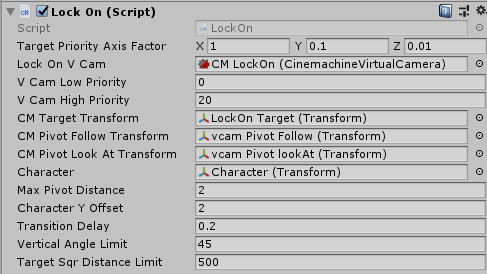
For example the Target Priority axis factor lets you decide whether to prioritize to “soft” lock on targets that are left/right or top/bottom or close/far of your screen view.
I am doing all of this in the demo project. Once I have it working perfectly I will share the demo project in the forums. I hope that is will help some people who want to achieve the same sort of camera behavior. I will move the scripts to my own phae project, once the demo project is working.
Sunday : 8h
While I wait for some help, i thought I would test out other things with the camera, specifically the camera collider. Adding the CinemachineCollider to the freelook camera worked just fine. The problem came from the LockOn camera. The cinemachineCollider avoid colliders that are in the line of sight of the look at target. This means the camera prioritize the sight of the target instead of the character.
For example If I LockOn a enemy behind a wall:
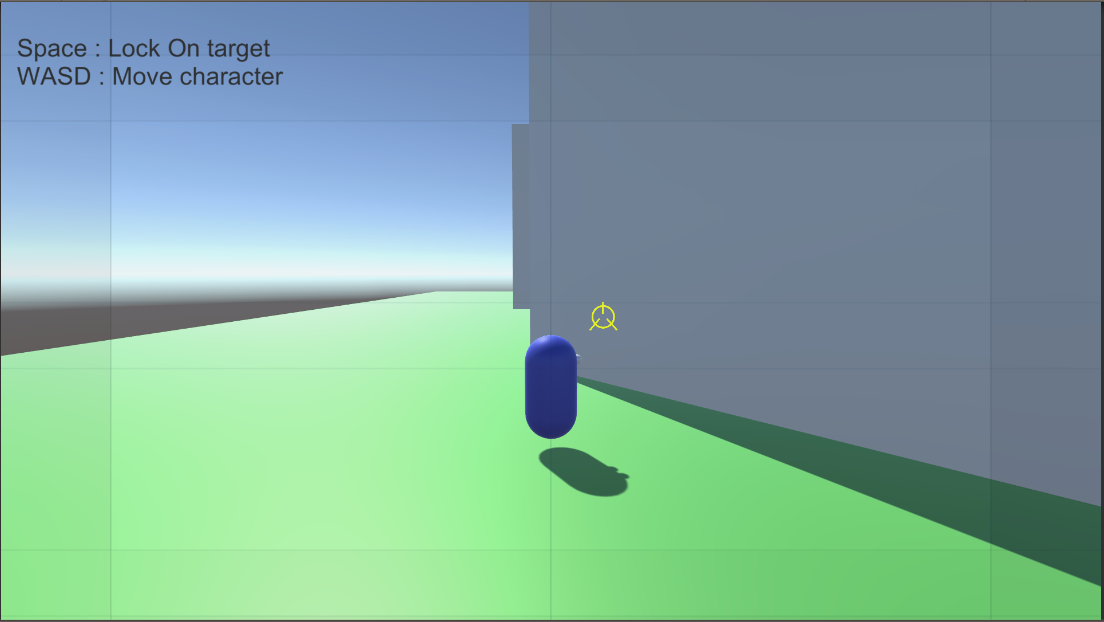
I get this:
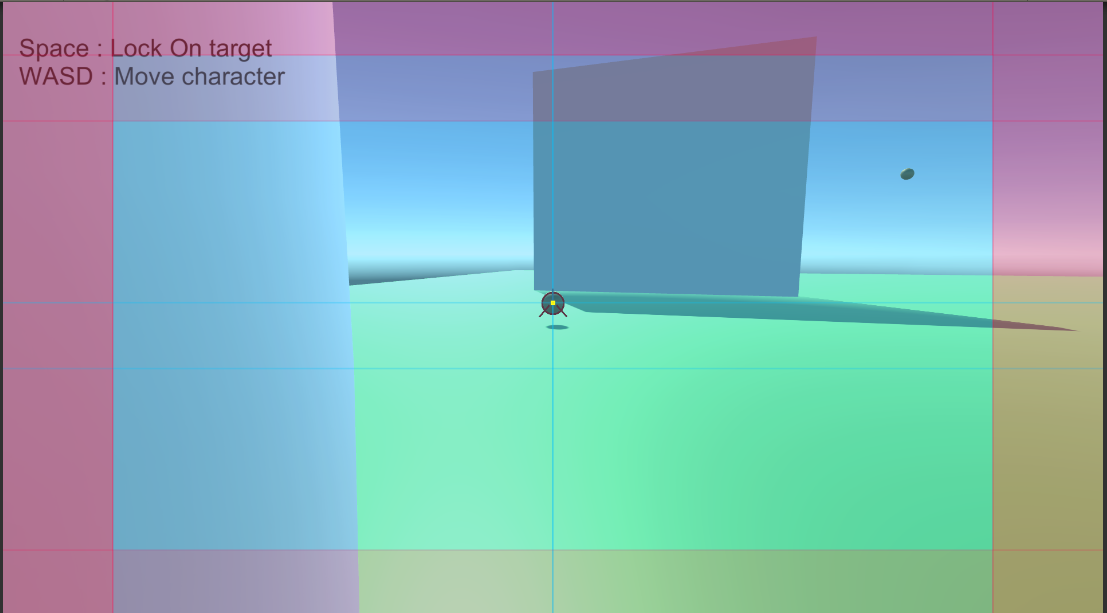
Instead of this:
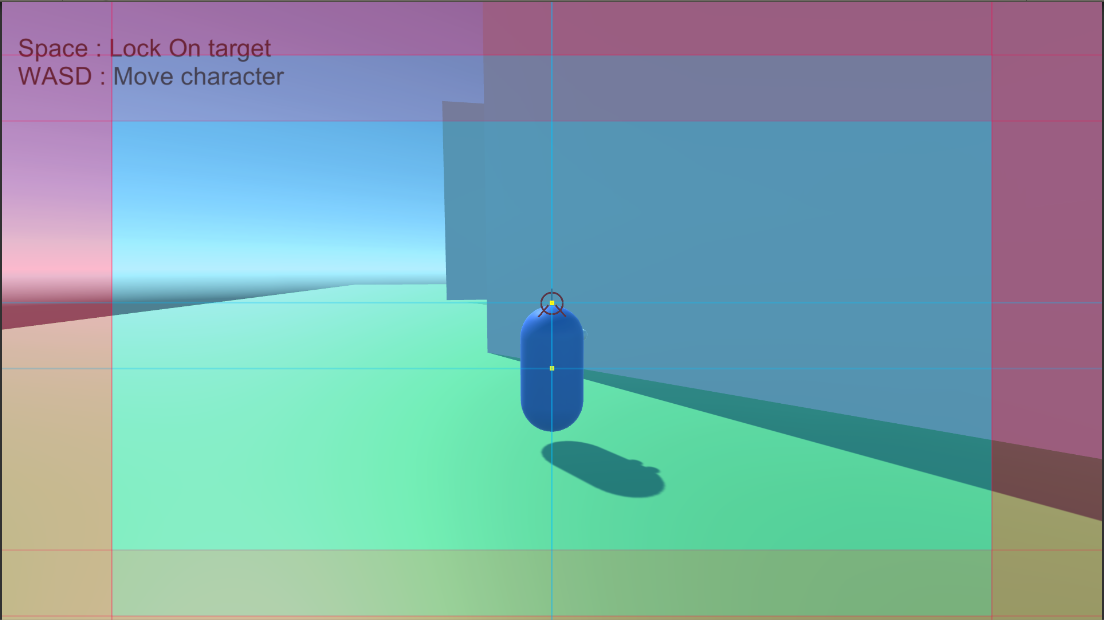
The problem is if I do not use the camera collider and both my character and target is behind a wall while the camera is not, I cannot see through the wall.
To fix this problem i copy pasted the CinemachineCollider code in my project. I changed a few lines of code so that the camera would move to keep Follow target in sight instead of the Look at target.
As a result I can achieve this:
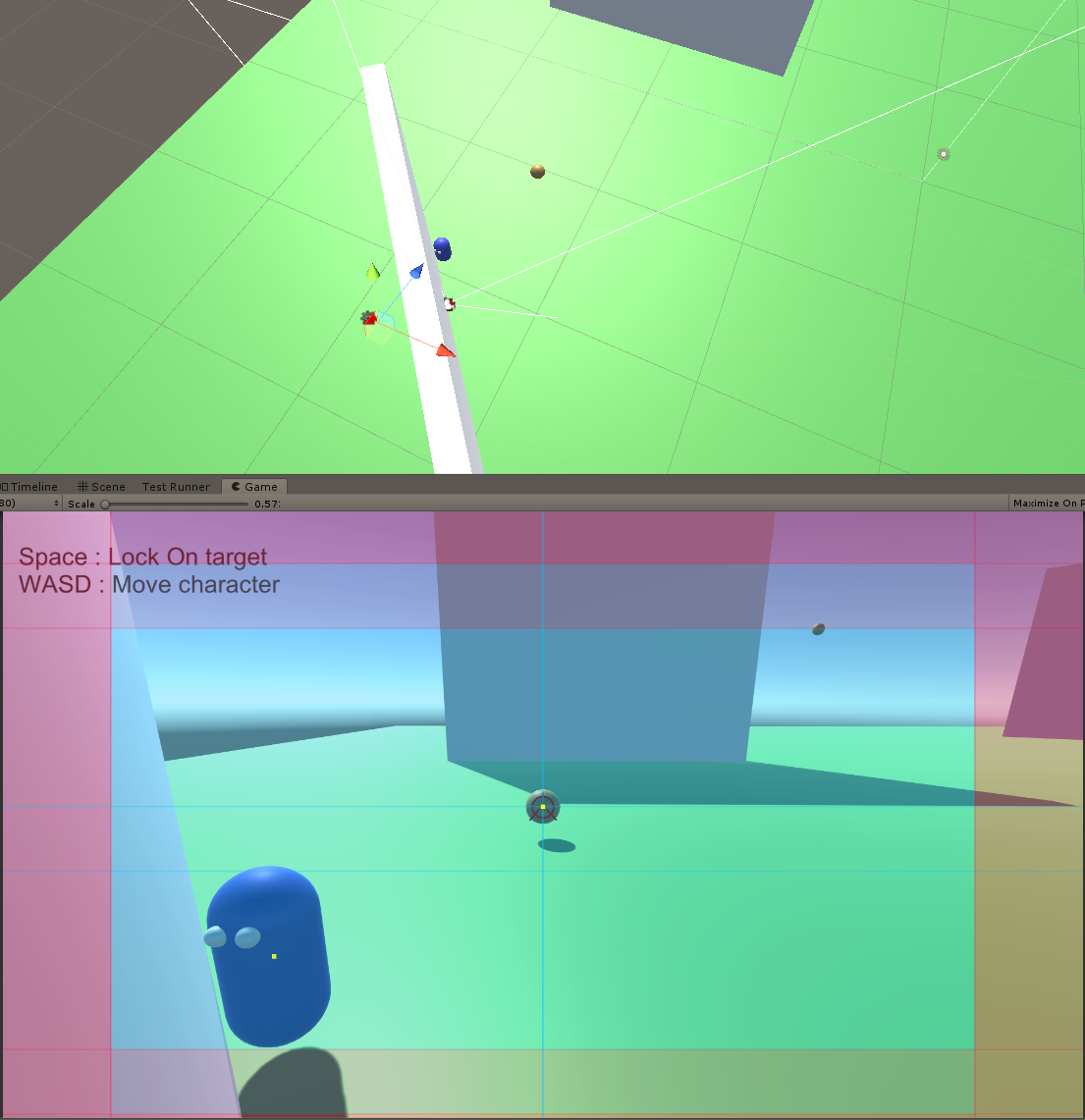
And this
At the same time.
Now, I am wondering if I should be able to LockOn targets behind walls. I want to be able to lockon on a target that is behind a tree in an open area for example but maybe not behind a wall in a tight space labyrinth for example.
I have multiple ways I could do this. I can have a boolean don’t lock without sight. I could have a physics layer which the LockOn cannot see through. I could organize the gameworld in a way that I won’t ever target enemies that are unreachable.
I think I will go with option 2 and 3 combined. To make sure I will have to play some games that have similar lockon features and see how they deal with it.
After playing some other games I found something that could benefit option 2. A lockOn timeout when the target goes behind a wall. Essentially you cannot LockOn a target which you do not have in the character line of sight. But if the character already manually targets the target when it goes behind a obstruction, then I start a timer. If the timer reaches the timeout then it automatically disables the lockon. As long as i choose this timeout value wisely then everything should be fine. Once I implemented that the lockon felt more natural.
There are still some issues with my camera though. The next problem to solve is the zoom and placement of the character relative to the camera when lockon. When far from the target i want the target to be in the center of the screen while the character is at the bottom of the screen. But once I am close to the target I want both of them to be in the center. Currently I am unable of solving this issue. I was able to mitigate it a bit by increasing the dead zone size of the framing transposer.
Monday: 0h
I got an answer from the cinemachine devs. It seems that I should be able to fix the snapping issue by duplicating the LockOn camera. I’m not completely sure how it will help but I will need to try it out. Unfortunalty I did not have any free time to work on my game on Monday.
Recap: 21h
- Added a lot of parameters to control the LockOn camera
- Added collisions to the camera during LockOn
- Added new features to LockOn script like the raycast to target
I wish that I had been able to finish the LockOn Camera stuff by now…It is my second week that I working on it. These things always take longer than expected. Hopefully the advice the cinemachine devs gave me will fix my problem. If not I’ll have to think of something else.
With the workload I have I can only really dedicate my weekends to work on my game. Hopefully I will still be able to progress enough to have something fun in a few months. With the camera being almost done I will be able to start writing my usable Item script to start attacking in the direction of the target. Once that is done I think I’ll start working on abilities for my character. Things like dodging, double jumping, dodging mid air. I also want to start making abilities for the gathering and crafting minigames. Since I am working on the inventory system for opsive I don’t want to work on things that will most likely be replaced by it, for example anything that deals with items directly.
Until next week!