
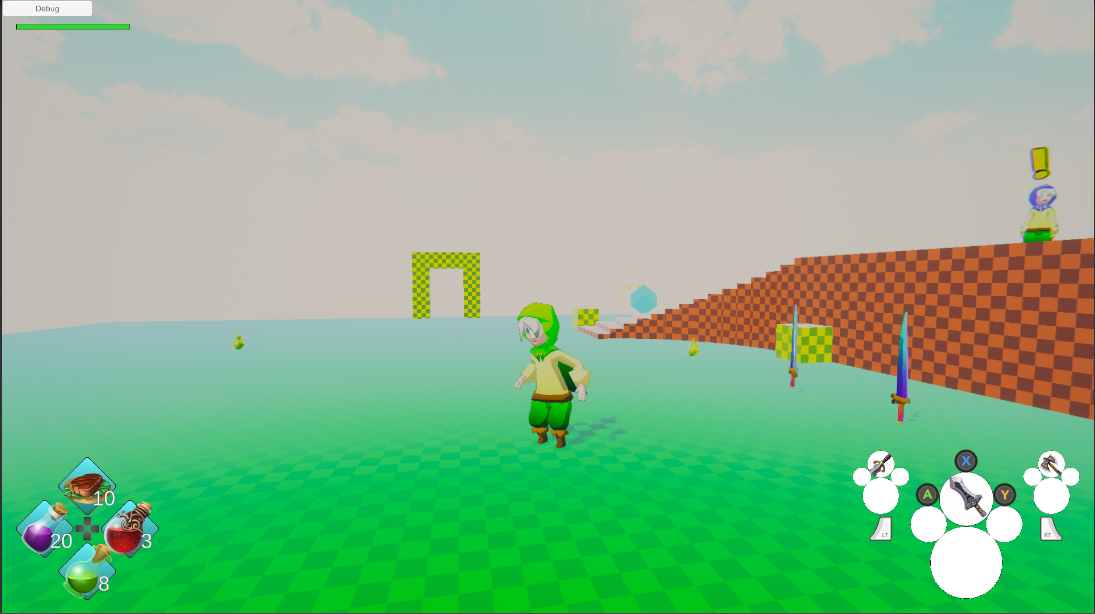
Phae Project Dev Log 8: Refactoring the Inventory script (again)
Dev Log 8
I finally started to refactor the inventory script more seriously. Last time I tried, I ran into a problem where i was limited by the ItemType class. This time I had some time to reflect and I believe I found a reasonable solution. It will permit me to keep the Opsive source code as is. I’ll work around the problem in my script by creating dynamic itemType (InventoryItemType), while making sure that my script throws errors whenever I try to use anything else. On my part I will restrict myself to always use the RPGInventory functions not the InventoryBase functions. The solution isn’t the prettiest but at least I won’t have to rewrite half of UCC source code.
Here is the breakdown of this week:
Wednesday : 2h
On Wednesday I saw that Humble Bundle was making a deal for UI assets. So for 20 dollars I got 500 dollars worth of content. I bought the bundle since a lot of these UI elements will be useful for prototyping games and some icons might even be useful for finished products. When I downloaded everything I had more than 15 thousand png files all neatly placed inside folder hierarchies. Since I did not want to go in each folder and change the texture type of each texture to “Sprite”, I wrote a little script that helped me select all textures in the subfolders of the currently selected folder. Here is the editor script:
using System.Collections.Generic;
using UnityEngine;
using UnityEditor;
using Object = UnityEngine.Object;

public class SearchInFolder : MonoBehaviour
{
    [MenuItem("Assets/SearchInFolder/FindTexture2D")]
    static void ExampleScript()
    {

        List<string> paths = new List<string>();

        foreach (Object obj in Selection.objects)
        {
            paths.Add(AssetDatabase.GetAssetPath(obj.GetInstanceID()));
        }


        string[] guids = AssetDatabase.FindAssets("t:Texture", paths.ToArray());

        List<Object> myObjects = new List<Object>();

        foreach (string guid in guids)
        {
            string path = AssetDatabase.GUIDToAssetPath(guid);
            Debug.Log(path);
            Object textureOBJ = AssetDatabase.LoadAssetAtPath(path, typeof(Texture2D));
            myObjects.Add(textureOBJ);
        }

        Selection.objects = myObjects.ToArray();
    }
}
Remember that editor scripts must be placed under a folder named “Editor” to compile as an editor script.
For sprites that need a bit more setting up, such as windows, backgrounds I will set them up by hand whenever I will use them.
Looking through all the UI I had bought I realised I was missing something. The Input prompts for keyboard, mouse and controllers. So after a little google search I found this prompt pack. Feel free to use it, it is public domain.
With all these UI sprites I can beautify my prototype a bit, not very useful at this stage but it does give me a little moral boost when things look nice.
Since I probably won’t have much time to work on the game on Thursday I might simply change a few sprites.
Thursday : 0h
Unfortunately I did not have time to work on the game at all on Thursday.
Friday : 3h
On Friday I made some additions to the inventory and inventory saver for the weapon sets. I have not done much else.
Saturday : 0h
No work on Saturday either, unfortunately.
Sunday : 4h
On Sunday I was able to continue a bit more on my weaponset code. I had to fix a lot of tiny bugs and I am still missing the UI elements to swap weaponsets. I plan to make that on Monday. Once that is done I will finally get down to fixing the inventory, the best I can.
Monday: 9h
Monday morning I added the UI elements to swap weaponSets. Nothing complicated but it always takes a few hours to set things up correctly.
Now that I have my weaponSets which I can create, edit and swap (limited to only weapons for now) I will start fixing the inventory script. My idea here is to have a custom id system for the inventory items. By adding a few constraints I can add some values specific to the inventory item to make unique ids that have information about the inventory item. This will be extremely useful when saving data since I will be able to recreate the inventory items only by using their ids. It also gives me the ability to differentiate two inventory items that are identical. By using this new id system and the inventoryItemType (an itemType which has a inventory item), I should be able to implement all the things I need without having to replace the inventory base class.
I was able to progress quite nicely. I changed the way I store the inventory item data a little bit. The inventoryItem has a itemType, a upgrade value and an instance ID. I use a dictionary to map a inventoryItem to a inventoryItemData which contains the current state of the inventoryItem (in bag, equipped, in pouch, etc…) and an amount of items stored.
I fixed the inventory save feature but in the process I broke another thing. One of my enemies is broken because I had to remove an item type from my itemCollection. For some reason now it says the enemy weapon category is missing which makes no sense. I believe the problem comes from the UCC inspector/serializer for the inventory or itemset manager.
On Tuesday I will change how I look for items from outside the inventory as much as possible by using inventoryItem instead of itemTypes. If I have time I’ll write my own PickUpInventoryItem ability.
Tuesday: 9h
On Tuesday I was able to progress quite a bit on the inventory. I organized my script using “#region” blocks and changed everything I could from itemTypes to inventoryitem. I then created my own inventoryItemPickup object and PickupInventoryItem ability. It took a few hours to implement since I was not very familiar with abilities. But I can now pick up inventory items with a specific upgrade, which I couldn’t do before. The pickup ability now triggers an animation and the items are picked up either using the pickup ability or by a trigger. I much prefer my pickup ability compared to the default one that was very complicated and only worked correctly when picking up at trigger enter and not button press.
Since I add InventoryItems to my inventory using the new InvenotoryItemPickup script I can now constrain myself to never use the pickup InventoryBase function. Which means I should now be able to safely replace the itemTypes dynamically by InventoryItemTypes and hopefully I won’t need to change the Equip/UnEquip source code.
Recap: 27h
- Bought some nice UI sprites
- Added all the WeaponSet actions (edit, swap, create)
- Fixed Inventory save feature
- Started to refactor the inventory to use InventoryItem and InventoryItemType
- Created my own InventoryItemPikup object and PickupInventoryItem ability
I am sorry for the lack of screenshots this week but there really wasn’t anything to show. I was really busy this week with my work and social life, so i wasn’t able to work much on my game. By end of March I will need think about how I can reduce the scope of my game, I realise that I won’t be able to do what I originally planned. I think I will focus on the combat and items for now. I still need to figure out how I should add stats (defence, strength, elemental resistance) to my character and have these change with my equipment… One thing at a time, first I fix the inventory, then I can look into how I can implement stats correctly and then I‘ll focus on combat. I think skills and the phaes will have to wait for a bit.
Until next week!