
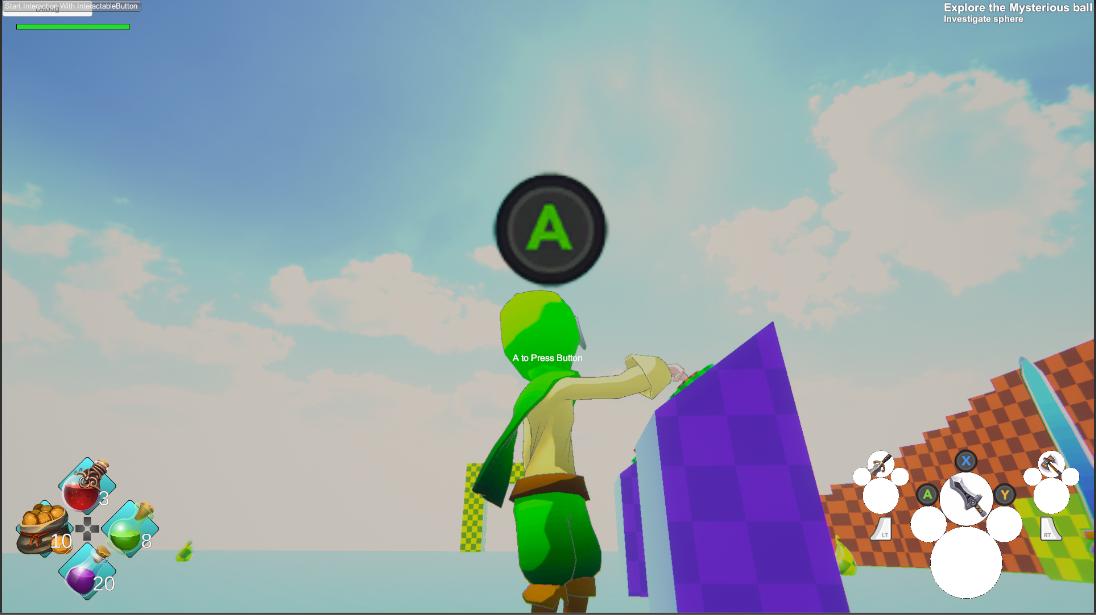
Phae Project Dev Log 9: Using TPC version 2.1.1 FinalIK integration
Dev Log 9
This week I was able to progress quite nicely. I fixed the weapon equip from the inventory and added a new sword attack combo animation. But the main achievement this week was getting the FinalIk integration in my game. I was able to add some cool stuff like the NPC looking at the character or the character pressing a button. I still need to work out how I will implement a lot of things concerning the combat.
Here is the breakdown of this week:
Wednesday : 2h
I fixed a problem I had when equipping weapon items. I am not too sure about my solution though. I use the WeaponItemType class to do the actual spawning of the prefab and initialization of the WeaponItem class. I’m still debating whether or not I should move that function to the RPGInventory calss instead.
I still need to clean up the code. I’m still finding places where I use itemType where I could use inventoryItem instead.
Thursday : 4h
I moved as much as the “AddWeapon” code inside RPGInventory. When adding a new weapon I instantiate it and initialize it. As long as I only use this function to add weapons everything should be fine. I have a ton of Debug.LogError() in case a function is used incorrectly.
I fixed the quest action that rewards the player with an inventory item. Now I am focusing on the UI again. I used to instantiate the item list buttons at runtime. Instead I would like to use a pool, thankfully I can use the one provided by UCC, but unfortunately it doesn’t work as I expected. I am waiting for an answer from the forums.
Friday : 8h
On Friday I continued to fix some bugs with the inventory and the UI, including the ObjectPool instantiation bug I had. I would like to leave the UI on the side for a bit and focus on other things. But first I need to remove as many bugs as possible.
I now have all the inventory functionality, that I had before, working with the inventoryItem logic. I have a few functionalities missing from the UI though, for example removing pouch item or weapons from weaponsets.
While debugging the weaponSet I was almost banging my head against my desk wondering why things wouldn’t work. After some thought I realised that my WeaponSet is a class, which means it can be referenced, which means that if I am not careful I can modify the reference value by mistake. And that was my case. I was using WeaponSet as if it was a value type (struct) and not a reference type (class). I found this little tutorial which explains things nicely. After changing the class to a struct everything made more sense and I was able to fix my problem in no time.
I tested all the features (Quest, UI, inventory, etc…) as much as possible and even though some functionality is missing, I think I got rid of most of the bugs. Saturday I will update TPC to version 2.1.1 and I wanted to make sure most things were working before I make a backup and update all the asset store assets. I am sure they will be a ton of bugs once I install the new updates, so at least I am taking out as many bugs as I can before.
It has also been almost a month since I had done a build of the game… which is not good practice. But turns out everything worked fine, except for a random crash that I couldn’t replicate, which is great. Similarly it had been a while since I made a commit to git. I need to get the good habits of commiting my work everyday and building at least once a week.
Saturday : 8h
I started the day by updating everything; Unity, TPC, packages, etc.. It then took me a few hours to debug the errors that popped up. Some of the errors were caused by assembly definitions being badly set up. Others were due to my script accessing variables that no longer existed in the source code, at least not with the same name.
When I was finally able to fix all the compilation errors I pressed play and I was received with a barrage of errors. Most of them coming from the animator monitor update loop.
After carefully reading the source code of the animatorMonitor script I realised the error was caused by some static variables. The variables were set up for each character and was dependent of the slotCount. Since my character has a different slotCount then my enemies the static variable was wrong. I was able to fix the issue by adding a single if statement and sent the fix on the TPC forum.
I also found a problem with the scripts execution order. My RPGInventory Awake method was happening after the AnimatorMonitor Awake method. In case you did not know you can change the script execution order in the Edit -> Project Settings window under the “Script Execution Order” tab.
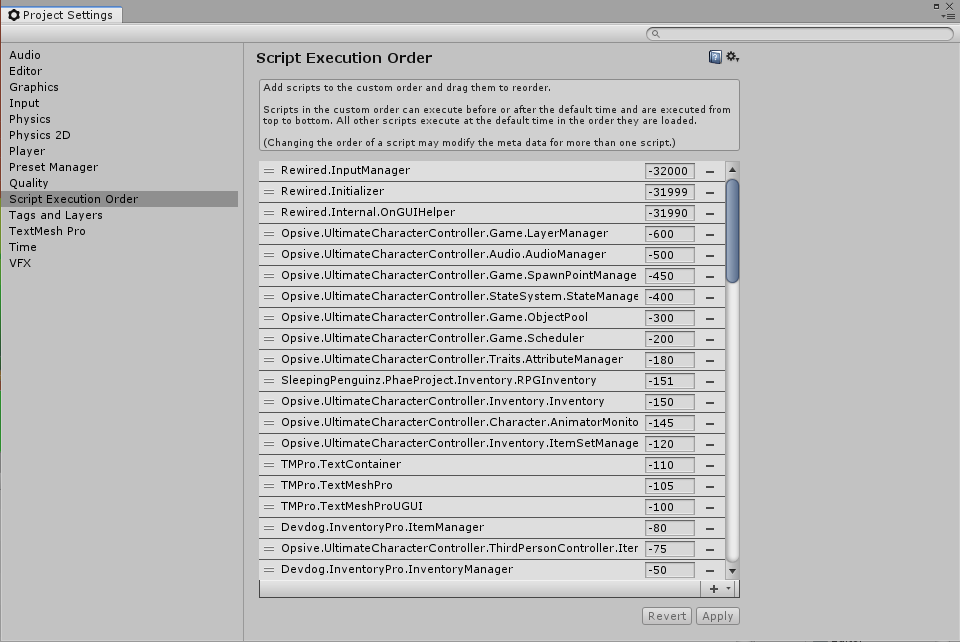
You can drag and drop your script inside the list and change the values to execute your script in the order you want.
Finally the last error I had to fix was a deserialization problem. The editor inspector scripts used on the items is setting up some values on the “Item” component. Since I had a WeaponItem that was inheriting the Item class but its inspector was not inheriting the ItemInspector class, my WeaponItem was not being serialized correctly. Just by adding a simple editor script I was able to fix the problem:
using UnityEditor;
using Opsive.UltimateCharacterController.Editor.Inspectors.Items;
using SleepingPenguinz.PhaeProject.Inventory;

namespace SleepingPenguinz.PhaeProject.Inspectors
{
    [CustomEditor(typeof(WeaponItem))]
    public class WeaponItemInspector : ItemInspector
    {
    }
}
At that point my game was up and running again just as it was before the update. I ended up finding a tiny bug with the scrollable item window when it was empty. The selection would be null and therefore I would lose track of the currently opened window. I fixed it in no time by simply selecting the selectable “you don’t have any items” message.
With all that done I think I will start using the new features of TPC 2.1.1 asap. First on Sunday I will try the Final IK integration. I will try to make my Quest giver look in the direction of my character when he is close. And I will also try to make my character press a interactable button (using only IK movement). The button will to move a platform.
Then I’ll focus on combat with combos, dodging, blocking, stats, weapon switching, target lock, etc… Combat will be one of the pillars of gameplay so I would like to make it as fun as possible. Of course that means I need to work on the AI for the enemies too.
Sunday : 10h
In the morning I watched all the Final IK video tutorials. Once finished I had a good idea of how the asset worked and I started implementing it in my game.
First I added the feature that lets the quest giver (NPC) look at the player. For that I added a trigger collider script that sets the quest giver look at target variable whenever the player enter/exits the trigger collider. I then added the LookAtIK component to my quest giver root (On the same component as the animator)
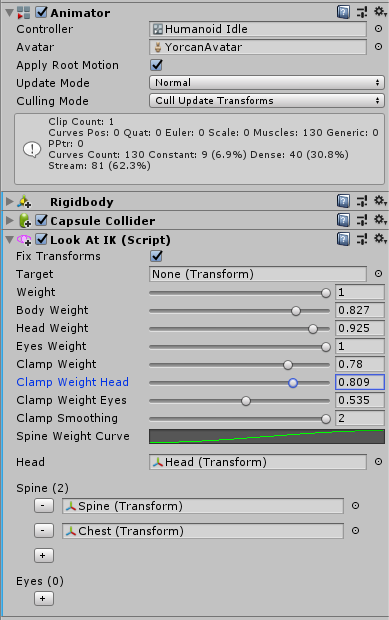
Note that since my target is set dynamically I also need a LookAtController component. It does not need to be on the same gameobject since it takes a reference to the LookAtIK component. I added the LookAtController to my trigger sphere. Note that “Trigger Look At FIK” is my custom script that checks if the player enters the sphere trigger and sets the target to the player transform.
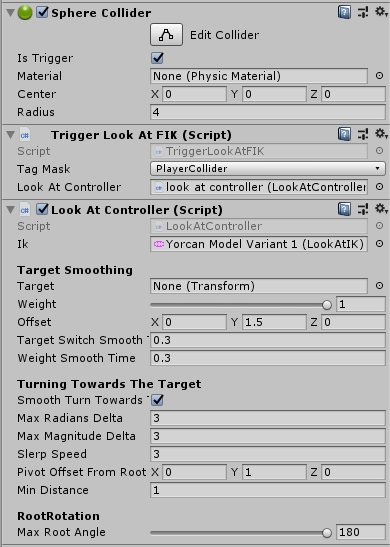
In my case I do not want my NPC root to rotate, I just want its upper body and head to rotate. Therefore I set RootRotation, Max Root Angle to 180.
Here is the result:
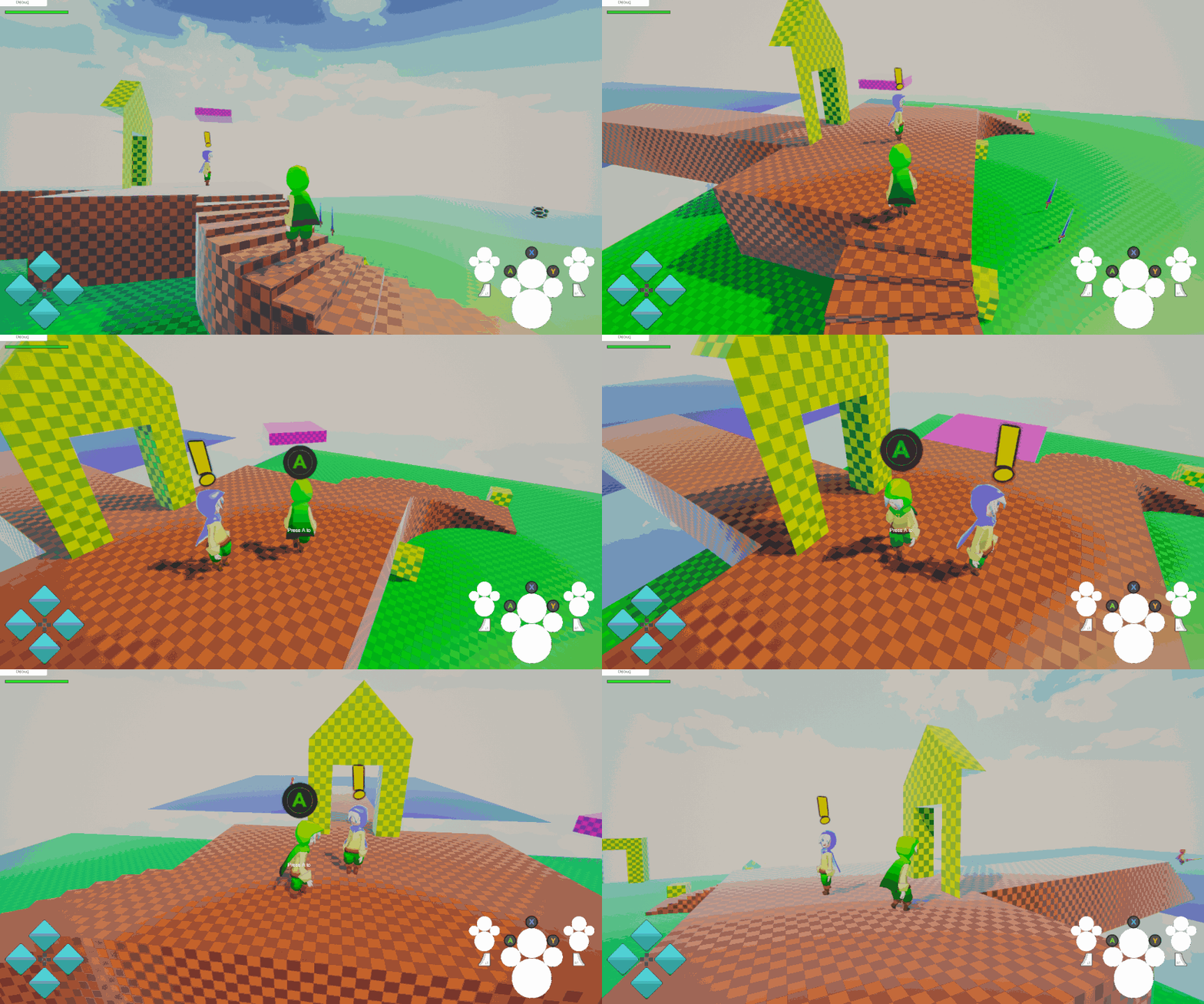
As you can see I rotate the head a lot and the body a little. I don’t want the NPC to take poses that look unnatural, that’s why the rotation is quite constrained. The NPC can even look above or below:
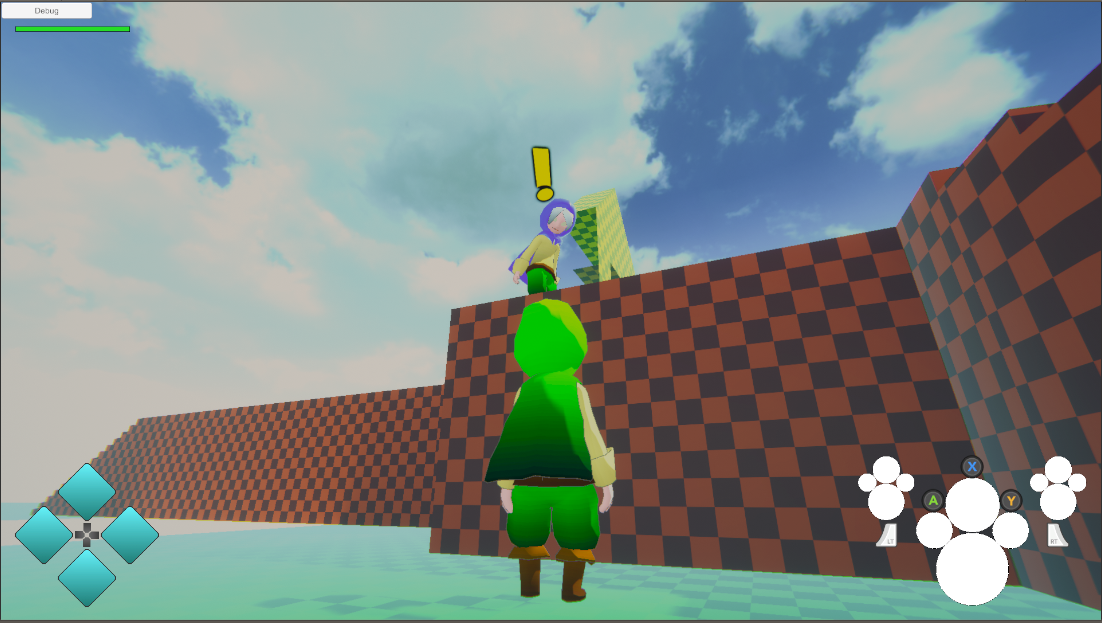
I am quite happy with the result. It makes the game characters feel more alive.
Then I went into making an interactable button. I simply followed this FinalIK video tutorial
I then followed the UCC FinalIK integration guidelines , which mention the interactable button example tutorial. Unfortunately I was stuck at that point. My character was literally stuck, after pressing the interact action. After hours of extreme frustration, I was told by some nice people in the UCC community that the interaction ability starts the moveTowards to move the character to the Ability Start Location. The problem is that the rotation speed is way too small and therefore the character seems stuck, but actually he is slowly moving towards the start location (rotation). Knowing that I was able to fix my problem easily by using ability state presets. Even though the ability was now working, the FinalIK interaction system didn’t seem to start. At that point I had to stop, hopefully I will figure it out on Monday.
Monday: 9h
After carefully reading the Interact, Interactable and Final IK Bridge script I realised what was wrong with my button set up. I was missing a component. The Ability IK Target component had to be added to the button. It specifies which IK member (right hand, left foot, etc…) should be used and has some timing variables. Simply by adding that I was able to fix my problem. There was a tiny bug in the source code though which I believe I fixed, I put the fix in the forums. Here is the result:
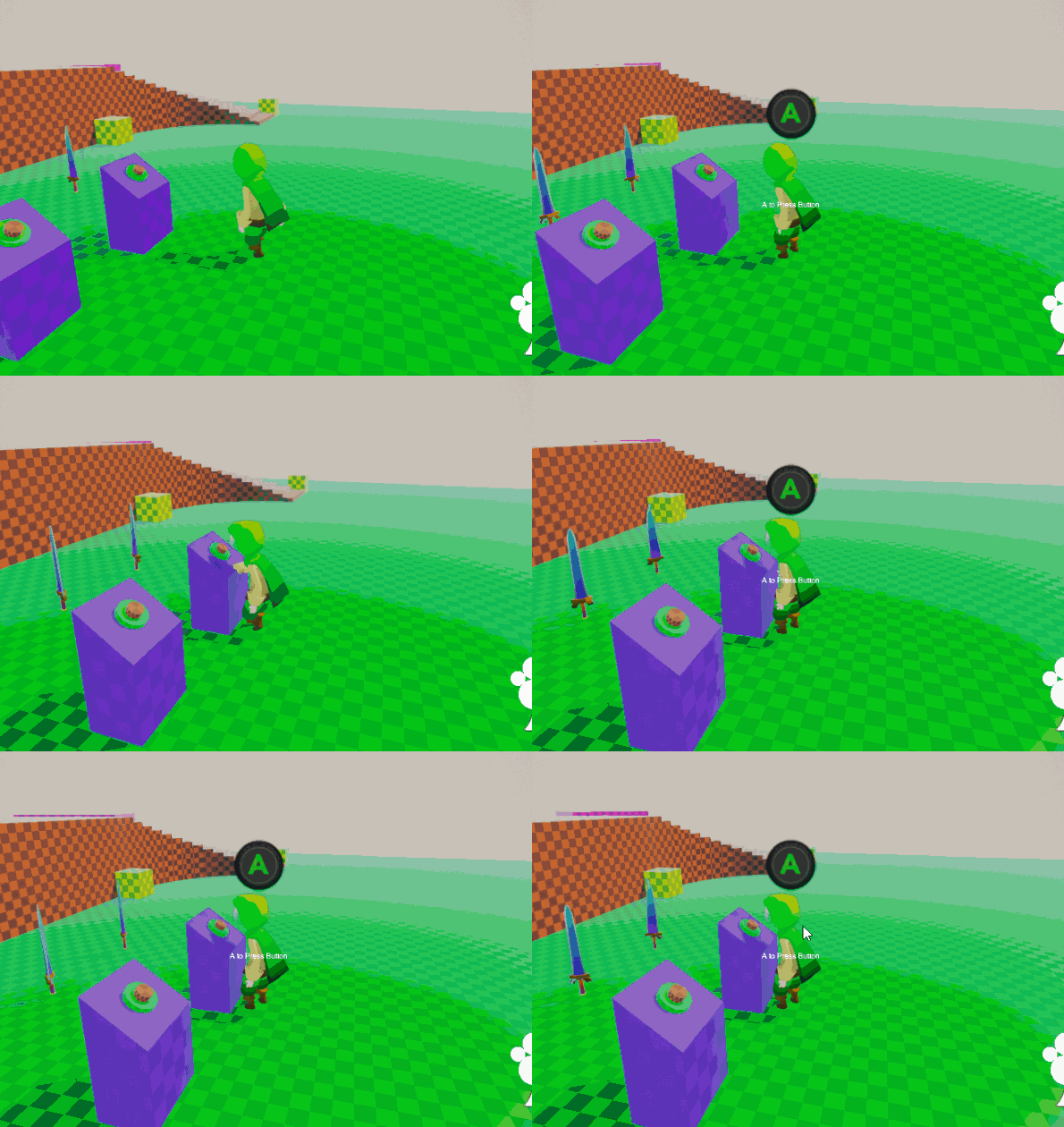
You can see in the background that the platform starts moving. There are still some things that go wrong but I am happy with the result.
Now it is time to look into attack combos. I previously asked my brother, Eduardo Rubio, to make a sword attack combo animation. Even though he is busy with his own work he made a nice animation with 5 sword strikes. Now it is my job to split the animation in “strikes” and “in between strikes” animations. I’ll then use the new Ability Starter class to make the attack combo. From what I read it seems to be rather complicated but we will see how it goes.
After a few hours of trying things out I wasn’t able to make it work. I have problems where the character gets stuck in an attack animation or that he won’t start attacking at all after stopping mid combo. I posted a lengthy post in the forum, hopefully someone will be able to help me out.
I will eventually have to write my own melee weapon script (script used to attack) so that I can use my inventory weapon item to get the damage and other things. I’ll also need it for when I’ll want to switch between weapon mid combo and continue where the previous weapon left of.
Tuesday: 5h
Tuesday morning I was able to to fix some of my problems with the attack combo. At least my character no longer gets stuck. There were a few changes I had to make. Mainly the animation event timings and the animator transitions. There are still some weird bugs going on.
I added a life bar to my enemies so that I can have some visual feedback when I hit them. At some point I’ll want my enemies to have a knockback animation for when they get hit.
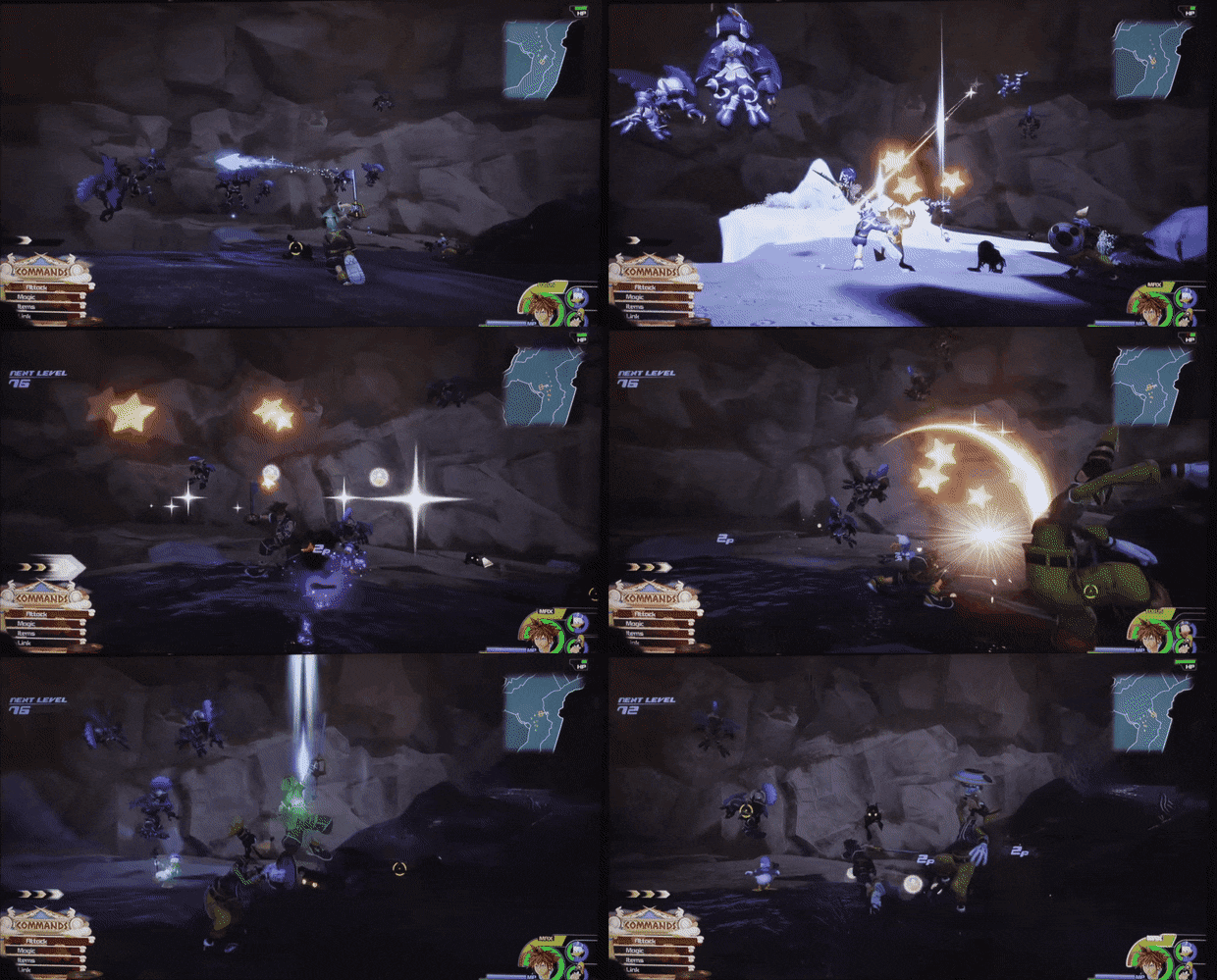
Now my problem is that my character moves too much compared to the enemy position.
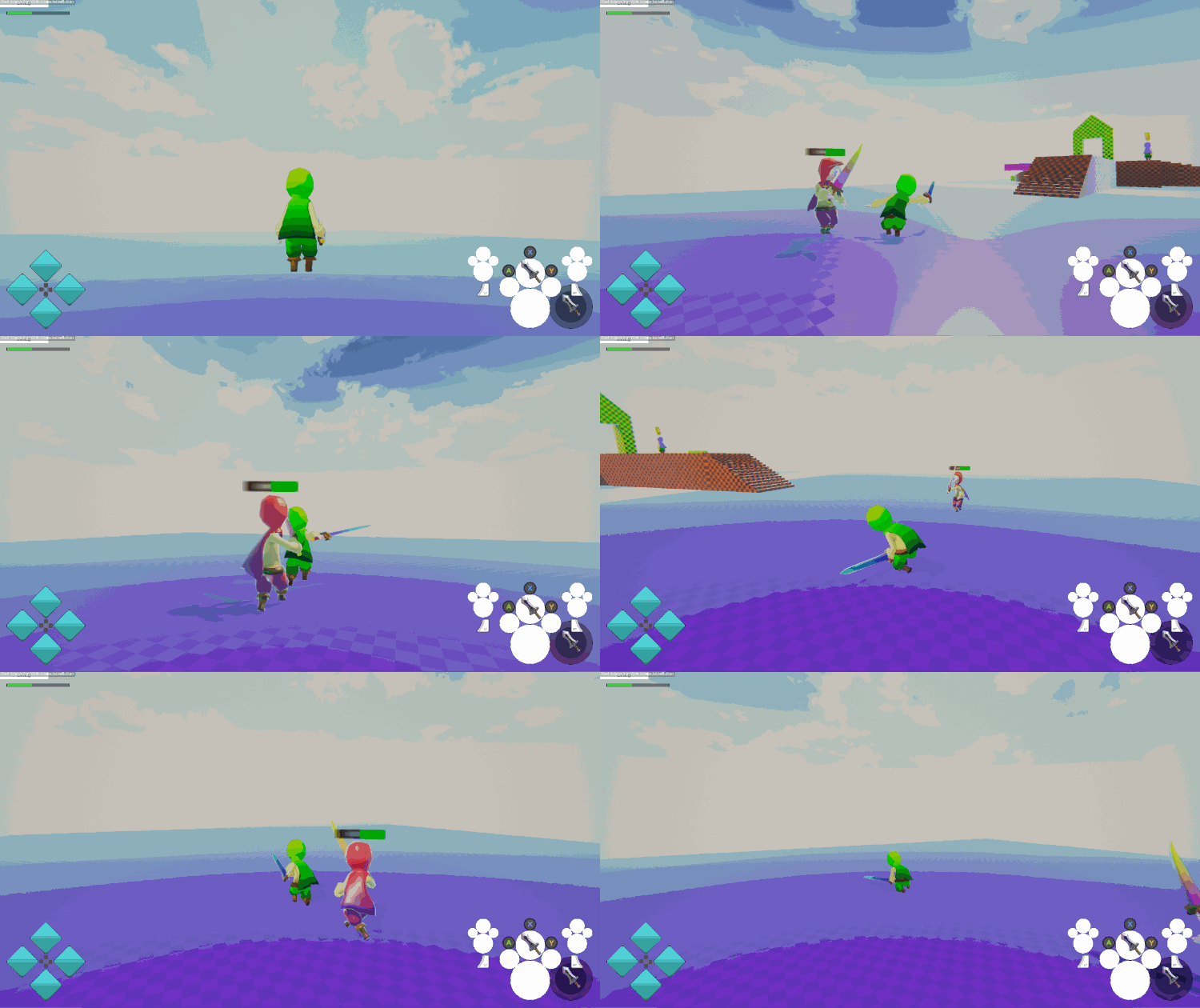
I will need to figure out a way that limits the character movement to face the enemy. I also need the enemy to stay in front of the player while he is being attacked like all 3d person melee action games. Something similar to God of War or Kingdom Hearts for example:

I had a talk with the Opsive developers concerning the inventory system. It seems they are looking into how they could improve it since so many people are asking for more features. So next week I think I’ll make a design document of what I think a good inventory system should be like. Since I already have a good understanding of the current inventory system, I know what the pitfalls are, now I just need to find solutions and hopefully Opsive will be able to implement them.
Recap: 46h
- Fixed weapon adding from inventory
- Added my instantiated UI buttons in a pool
- Fixed weaponSet by changing the class to a struct
- Updated Unity to version 2018.3.6f
- Updated TPC to version 2.1.1
- Fixed all the bugs caused by upgrading to TPC 2.1.1
- Sent the fixes to the TPC forum
- Added FinalIk look at to my NPC
- Added all FinalIK components to my character
- Added a button interaction with TPC and FinalIK
- Started working on my sword attack combo
I was able to put a lot of hours on my game this week and it shows as I was able to implement/fix a lot of things. I am very happy with the FinalIK integration and I feel it makes the game more alive. Since animations are modified in real time by the IK they are never the same. I will definitely add ik controllers in a lot of places. I’m thinking benches to sit down, boxes that could be pushed/pulled, etc… I’m sure it will be a lot of fun to make.
After trying some things out I do realise now that the combat will be even harder to implement than I had previously thought, and I was already thinking it was going to be hard. I will need to figure out how other people have done it and then I will need to see how I can extend TPC to make it work.
Since Opsive is asking for some advice on the inventory system I will help them the best I can. It will directly affect how my game will be implemented and if possible I want to help other developers any way I can, because making a game isn’t always easy. So starting next week I will make a design document on what I believe the inventory system should be able to do and how I would like it to be implemented.
Until next week!