
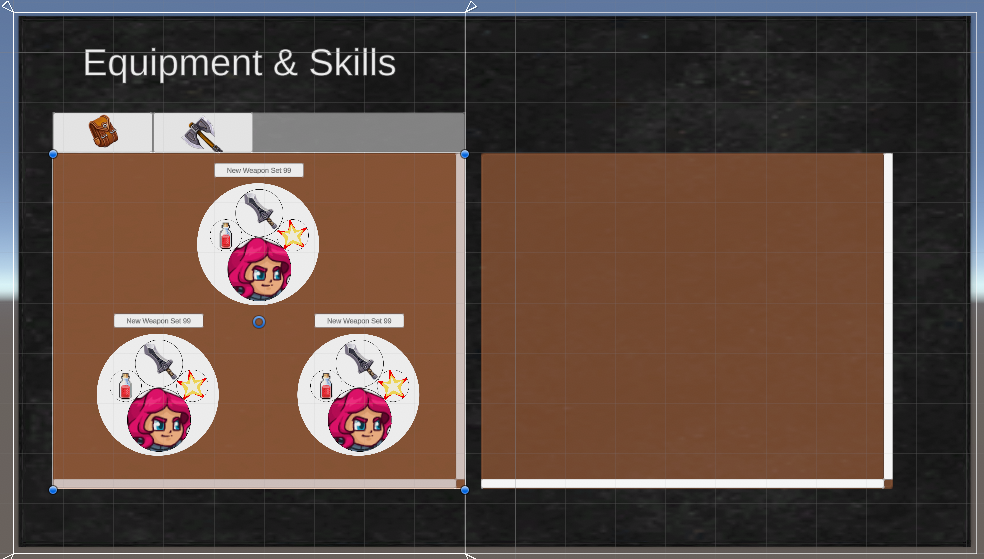
Phae Project Dev Log 7: Inventory UI Menu continued
Dev Log 7
This week I only worked on the UI code and little else. I did start adding weapon sets though. There are a lot of issues with my inventory as of right now. But I do hope that I can fix it next week or at least the week after that.
Here is the breakdown of this week:
Wednesday : 2h
I continued writing the UI code. This time I focused more on the button click events/actions. I made so that you can add actions to onclick events in two different ways. I define the action with a delegate:
public delegate void WindowButtonUIUnityAction(WindowButtonUI button);The first way is to directly access the WindowButtonUI component and use the add action button function:
public void AddButtonAction(WindowButtonUIUnityAction buttonAction)
{
onClick.AddListener(() => buttonAction.Invoke(this));
}
The other way is to add the button actions using an interface
public interface IWindowButtonAction
 {
        WindowButtonUIUnityAction ButtonClickAction();
 }
I can then check if any components classes with an IWindowButtonAction interface are attached to the button, to add their actions to the button click event.
protected override void Awake()
{
AddButtonActions(GetComponents<IWindowButtonAction>());
}

public void AddButtonActions(IWindowButtonAction[] ButtonActions)
{
for(int i = 0; i< ButtonActions.Length; i++)
{
 		AddButtonAction(ButtonActions[i].ButtonClickAction());
}
}
Thursday : 6h
Once again I worked on the UI code. I didn’t like some of the design choices I made at the beginning and I started moving things around, which of course introduced a lot of bugs that I had to fix. I do believe I am very close to getting a nice flexible and scalable structure though.
I fixed a few issues with my tab windows and scrollView. I had my hierarchy anchors placed in a way that did not make sense which ended up breaking some of my snapping logic, while having the content not full.
I have a nice flow where each window keeps track of the window button index that opened it. I can then use the ICancelHandler to call a function that closes the current window and opens the previous one at the correct button index.
Next I will need to work on floating windows, which are windows that can be placed at a specific position when opened/initialized. I will also need to work on pop up windows which will be placed on another canvas and drawn on top of everything. These will be for a Yes/No/Cancel confirmation window for example.
Friday : 8h
The way I implemented the floating window is by having a FloatingWindowParentscript which is the parent of the windowUI component. This lets me have a little floating window (panel) inside a full screen panel. The full screen panel makes sure I do not press on any other buttons while a floating window is open. I can add a button to the floatingWindowParent to close the floating window when clicking away from the floating window.
For the popup windows I use a PopupWindowManager script that lets you open some generic windows using static functions. For example for a generic yes/no pop up I use this kind of function:
public static ConfirmationWindow OpenConfirmationWindow(WindowUI previouseWindow, int previousWindowButtonIndex, WindowButtonUIUnityAction clickYes, WindowButtonUIUnityAction clickNo, string title = "Are you sure?")
        {
            m_PopupWindowManager.confirmationWindow.Initialize(clickYes, clickNo, title);
            m_PopupWindowManager.confirmationWindow.Open(previouseWindow, previousWindowButtonIndex, 0);
            return m_PopupWindowManager.confirmationWindow;
        }
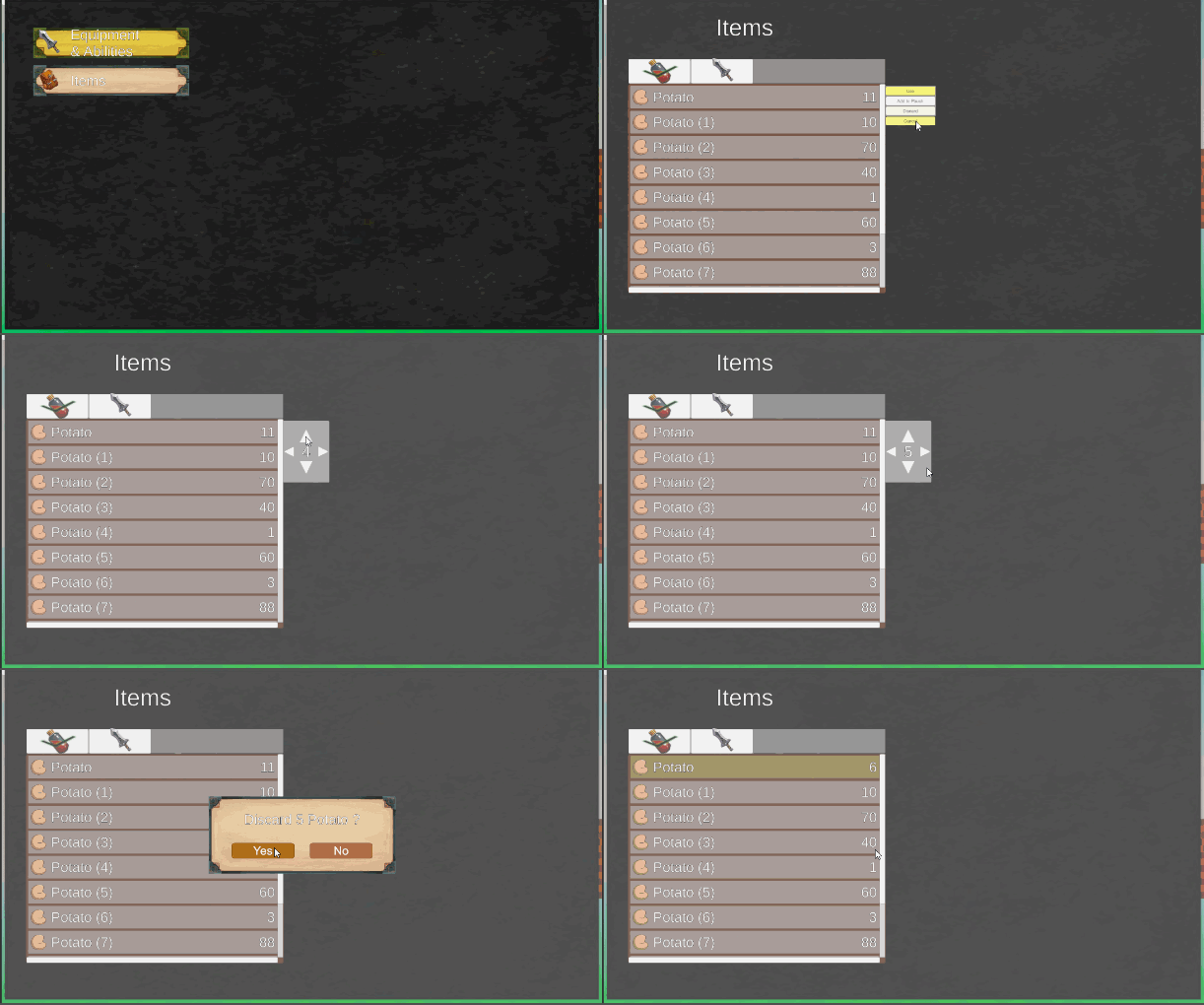
I also had the time to make a window that lets you choose an amount to discard:
Saturday : 2h
I started by reintroducing the item pouch equip menu with the new UI system. It was super easy in just a few minutes it was done. The thing that took me the longest time to fix was Unity’s Rect transforms that wouldn’t anchor like I wanted, until I realised that I had forgotten to set up correctly the Vertical layout group and a content size fitter of my scroll view content.
I also started thinking about how I want to make the weapon sets (1 weapon, 2 skills, 1 phae) UI menu. I’m thinking of having a Edit, Swap and Create action. You would be able to name your weapon set and save them in the inventory.
Sunday : 5h
Since I do not have skills and phae (pet creatures) set up, I use simple strings to represent them in the weapon set data structure. Similarly to the pouch items I plan to make a monitor script that updates the HUD UI for the weapon sets. I used some random images in my project to set up how the weapon set HUD UI:
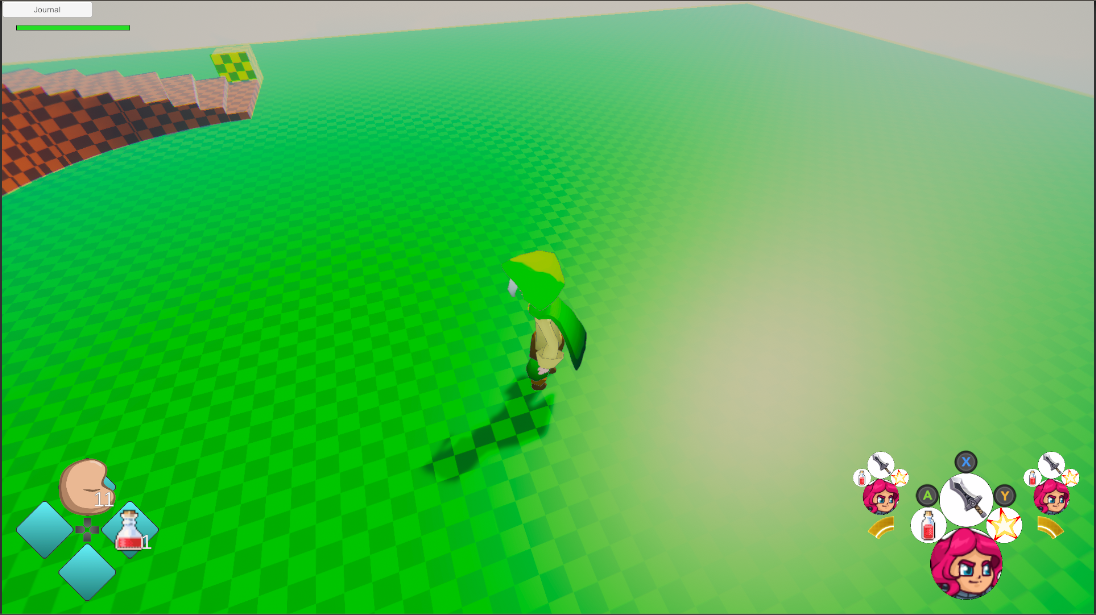
I wonder if the HUD icons are too big… I’ll leave them like this for now. To avoid confusion, I am planning to hide the inputs while out of battle mode and I might also fade the previous/next weapon sets a bit. Also the skills will be cooldown based, not mana based so I will need a radial fill (maybe some time text) to show how long to wait before a skill can be used again. I plan to add a little animation when swapping weapon sets but I am scared it might be distracting.
I also started adding the windows to choose your weapon sets (limited only to weapons for now). On Monday I will need to make some adjustments to the inventory script and hopefully I can finish up the weapon set weapon equipment stuff by the end of Tuesday. I would like to start working on the combat (combos, skills, knockback, etc..) soon. I am about a week late compared to my planning, which I realise I was missing a few things from. I still want to have a playable prototype by the end of March. And hopefully by the end of June I will have an alpha build with pretty much all main features started. By that time I will most likely look into teaming up with some people to get more art content (2D, 3D, animation, music, etc..), or maybe I will scope down the project a bit and do what I can myself.
Monday: 6h
On Monday I was able to reintroduce equipping the weapons from the inventory. This time through the weapon sets menu. I will need more time to refactor the inventory in a way that swapping weapon during combat will swap the active weapon set. I also need to fix a lot of little bugs with the menu UI to prevent the player from pressing buttons they shouldn’t. In terms of weapon sets I will need to add a few constraints such as not letting the player have two weapon sets with the same name, I will add more constraints when I add the phae and skills. I do need to change the save data so that if there isn’t at least three weaponsets saved it will add empty weapon sets.
There is a lot to add… and the bigger the code base, the longer it takes to make changes. But once I have my weaponsets, I’ll only have to add skills and phae to the inventory. I’m telling myself that once the base structure of my code is done the rest will be simply to add content to the game. So hopefully I will be able to produce a lot more content later in the production…It will be a long journey.
Tuesday: 2h
I only had the time to fix some tiny bugs here and there. The inventory/UI is taking much longer than anticipated, and I am having less free time to work on the game then before.
I will need to fix the inventory asap before I can continue writing more code for the weaponsets.I cannot wait for Justin from Opsive to fix it for me. So I thought of a way that I could do everything I wanted without touching the Opsive source code. I am not 100% it will work but I have to try. Essentially since the inventory base uses ItemTypes as ID to find, use, equip items, I am wondering if I could dynamically create instances of an itemType subclass, which could contain an inventoryItem. Then I would just constraint myself to only use this itemType subclass whenever I am obliged to use the inventory base source code.
Recap: 31h
- Added on click, cancel and select events on my custom buttons
- Added functions and an interface to set actions to these events
- Made sure the UI works well for both mouse/keyboard and controller
- Added floating windows and pop up windows
- Added amount chooser window
- Added item pouch assignment back into the game menu with the new UI
- Started introducing the weaponsets in the inventory and UI code
I wasn’t able to work as much as I hoped but I was still able to get a decent UI window system. The UI system still has a few little bugs and tiny issues with its design but hopefully it can all be fixed without too much issue.
Next week I will try to fix the inventory code. And then I will be able to make new character abilities to pickup and equip items (swap weaponsets). Once that is done I’ll start working on the combat and skills.
Until next week!