
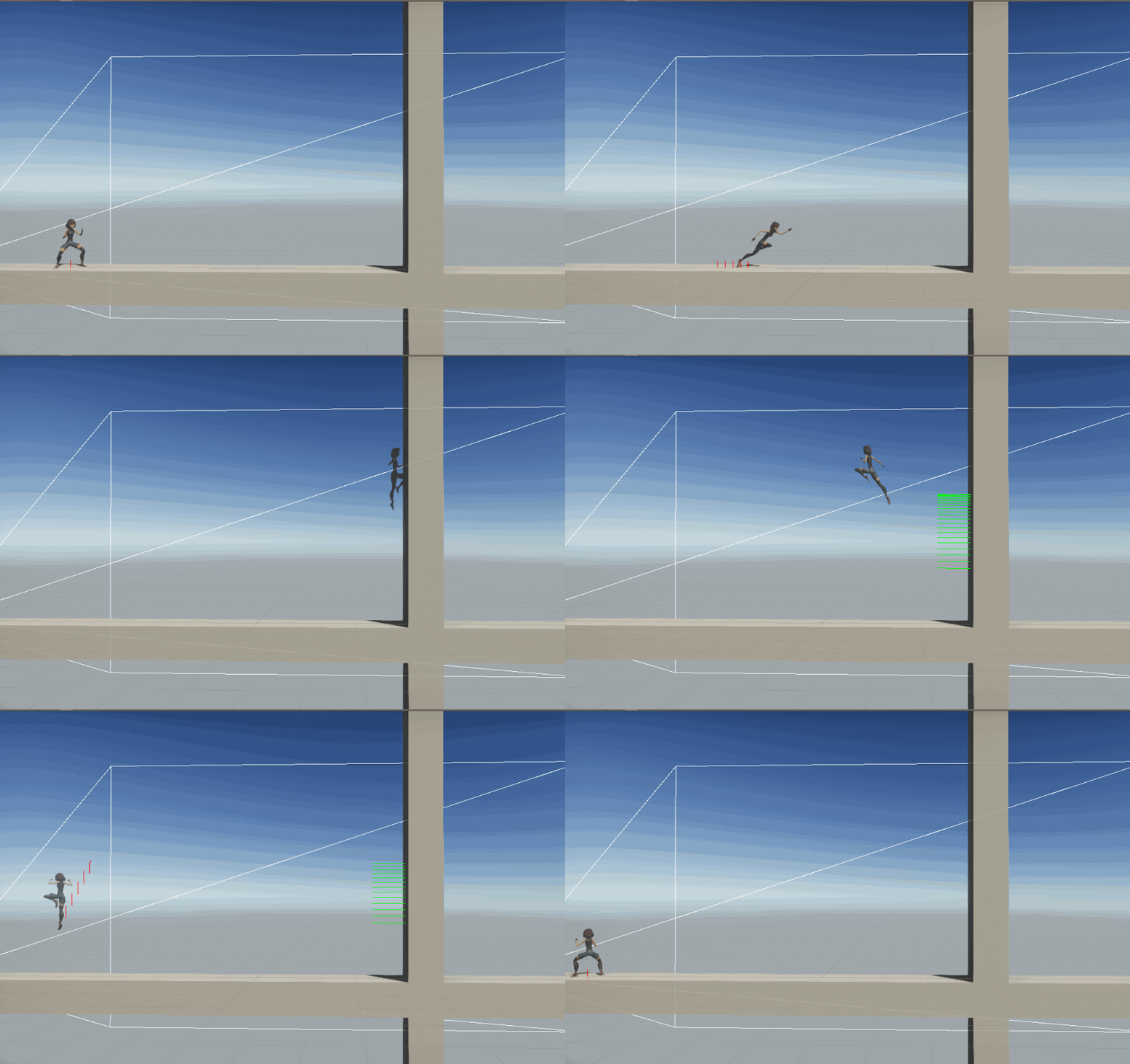
Wall jumping in 3D/2.5D games
In plaformer games we often have the ability to wall jump. It gives a lot more mobility to the character and feels great when implemented correctly. Here I’ll show you how I made the wall jump in the “Rythm Fighters” prototype.
There a few things to take into account when dealing with wall jump. First we need a moving and jumping character. In my case I use custom character controller script, which has a grounded and airborne movement. I also have states such as gounded, wall_hug, crouching, etc…
The Move function is called by the player input script
public void Move(Vector3 move, bool crouch, bool jump, bool jumpPressed)
{
    // convert the world relative moveInput vector into a local-relative
    // turn amount and forward amount required to head in the desired
    // direction.
    if (move.magnitude > 1f) move.Normalize();
    move = transform.InverseTransformDirection(move);
    CheckGroundStatus();
    move = Vector3.ProjectOnPlane(move, m_GroundNormal);
    m_TurnAmount = Mathf.Atan2(move.x, move.z);
    m_ForwardAmount = move.z;

    if ( !(m_wallHug || m_wallJump) )
    {
        ApplyExtraTurnRotation();
    }

    m_facingRight = transform.rotation.eulerAngles.y > 180;

    // control and velocity handling is different when grounded and airborne:
    if (m_hurt)
    {
        HandleHurtMovement();
    }
    else if (m_attacking)
    {
        HandleAttackMovement();
    }
    else if (m_IsGrounded)
    {
        HandleGroundedMovement(crouch, jump);
    }
    else
    {
        HandleAirborneMovement(crouch,jumpPressed,jump);
    }

    ScaleCapsuleForCrouching(crouch);
    PreventStandingInLowHeadroom();

    //m_attacking = m_CurrentStateInfo.shortNameHash == m_HashDash_Hor || m_CurrentStateInfo.shortNameHash == m_HashLight_Punch_Hor
        //   || m_NextStateInfo.shortNameHash == m_HashDash_Hor || m_NextStateInfo.shortNameHash == m_HashLight_Punch_Hor;
    // send input and other state parameters to the animator
    UpdateAnimator(move);

}
The grounded movement only checks if I jump
void HandleGroundedMovement(bool crouch, bool jump)
{
    // check whether conditions are right to allow a jump:
    if (jump && !crouch && m_IsGrounded/*m_Animator.GetCurrentAnimatorStateInfo(0).tagHash == m_HashGrounded*/)
    {
        // jump!
        m_Rigidbody.velocity = new Vector3(m_Rigidbody.velocity.x, m_JumpPower, m_Rigidbody.velocity.z);
        m_IsGrounded = false;
        m_Animator.applyRootMotion = false;
        m_GroundCheckDistance = 0.1f;
    }
}
The airborne movement is more interesting. Just like the grounded movement handled the jump, the airborne movement handles the wall jump. But the airborne movement deals with more than just that. We have different vertical and horizontal forces acting on the character.
The Vertical movement can be affected in four ways with 4 gravity modifiers:
- fallWallHugMultiplier: When the character is wall hugging, small factor to slow down the fall
- fallMultiplier: When the character is free falling
- lowJumpMultiplier: When the player has stopped pressing jump and the character is going up, higher multiplier
- highJumpMultiplier: While the player has the the jump button pressed down and the character is going up, low multiplier
This multipliers can be set to any value until the player jump feels right. For horizontal movement in mid air we need to limit it so that we cannot move faster in the air then on the ground. But we must let the player the ability to control the character mid air or it won’t feel good. We must also be carful with the values we give. We do not want the player to be able to infintely jump up a wall by moving towards the wall to fast after a wall jump. We can limit this also by stopping airborne movment for a few frames after the wall jump. This can be done like below using a coroutine.
void HandleAirborneMovement(bool crouchPressed, bool jumpPressed, bool jump)
{
    //

    Vector3 newRBvelocity = m_Rigidbody.velocity;
    // apply extra gravity from multiplier:
    Vector3 extraGravityForce;// = (Physics.gravity * m_GravityMultiplier) - Physics.gravity;
    Vector3 wallJumpVelocity = Vector3.zero;

    if (m_wallHug)
    {
        extraGravityForce = Physics.gravity * (fallWallHugMultiplier - 1);
        if (jump && !m_wallJump)
        {
            wallJumpVelocity = new Vector3((m_facingRight ? -1 : 1) * m_WallJumpPowerX, m_WallJumpPowerY - newRBvelocity.y, 0);
            m_wallJumpCoroutine = StartCoroutine(WallJumpCR());
        }
    }
    else if (m_Rigidbody.velocity.y < 0)
    {
        extraGravityForce = Physics.gravity * (fallMultiplier - 1);
    }
    else if (m_Rigidbody.velocity.y > 0 && !jumpPressed)
    {
        extraGravityForce = Physics.gravity * (lowJumpMultiplier - 1);
    }
    else
    {
        extraGravityForce = Physics.gravity * (highJumpMultiplier - 1);
    }
    m_Rigidbody.AddForce(extraGravityForce);

    //Airborne movement accelerate or deccelerate
    //no input
    //high velocity -> should decelrate a bit, low velocity -> should do nothing
    //with input
    //high velocity -> should do nothing, low velocity -> should accelerate a lot

    float XVelocity = Mathf.Abs(m_Rigidbody.velocity.x);

    float airborneVelocityMultiplier = (XVelocity > maxAirborneVelocity ? -(XVelocity / maxAirborneVelocity) * (m_facingRight && m_Rigidbody.velocity.x > 0 || !m_facingRight && m_Rigidbody.velocity.x < 0 ? -1 : 1) : 0) +
        m_ForwardAmount*(XVelocity > maxAirborneVelocity  && (m_facingRight && m_Rigidbody.velocity.x< 0 || !m_facingRight && m_Rigidbody.velocity.x > 0) ? 0 : 1);


    float speed = (m_facingRight ? -1 : 1) * speedAirborne * airborneVelocityMultiplier;

    newRBvelocity = new Vector3(newRBvelocity.x + speed, newRBvelocity.y, newRBvelocity.z) + wallJumpVelocity;


    m_Rigidbody.velocity = newRBvelocity;

    m_GroundCheckDistance = m_Rigidbody.velocity.y < 0 ? m_OrigGroundCheckDistance : 0.01f;
}

IEnumerator WallJumpCR()
{
    m_wallJump = true;
    yield return new WaitForSeconds(m_WallJumpIgnoreTime);
    m_wallJump = false;
}
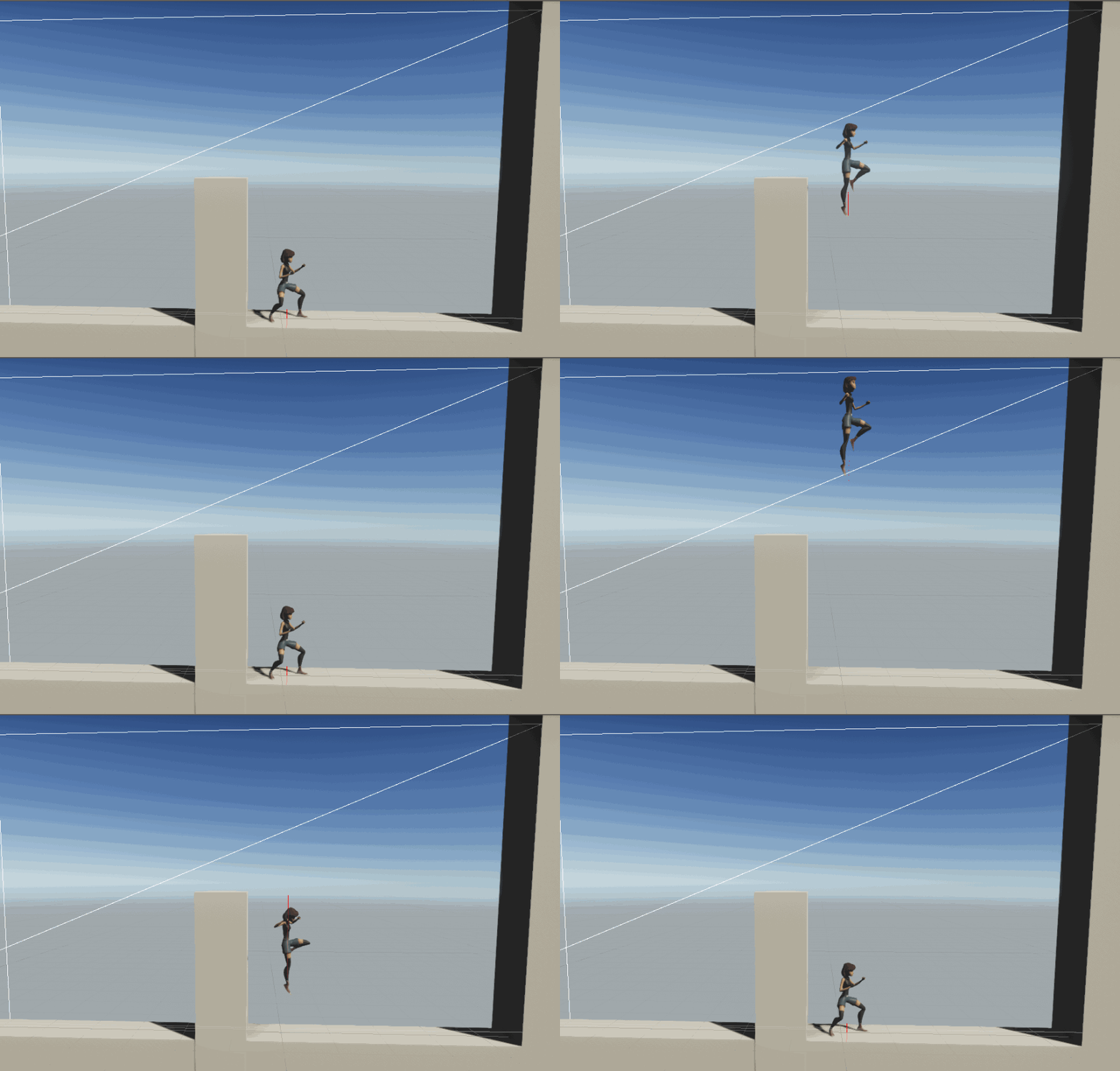
You can see the result of the gravity multipliers (slightly exagerated)
Now that I have movement and a jump I must look into how the character can detect the wall and when it should be considered wall hugging. The detection is done using OnCollisionStay. We need to check the surface normal on the point of collision to make sure it is close the perpendicular to the floor. We also check that the character is falling. The player must also move towards the wall to start the wall hug.
Note that the code below could have a condition to make sure the collision is with a wall and not anything else. This could be done by checking a tag or the layer.
private void OnCollisionStay(Collision collision)
{
    ContactPoint contact = collision.contacts[0];
    if (!m_IsGrounded && contact.normal.y < 0.1f && contact.normal.y > -0.1f && m_Rigidbody.velocity.y <= 0)
    {
        wallContact = contact;
        if (m_wallHug)
        {
            Debug.DrawRay(contact.point, contact.normal, Color.green, 1.25f);
            m_wallHug = true;
        }
        else if ( (m_ForwardAmount  > 0.1f || (m_facingRight && contact.normal.x < 0) && (!m_facingRight && contact.normal.x > 0)))
        {
            Debug.DrawRay(contact.point, contact.normal, Color.green, 1.25f);
            m_wallHug = true;
            if (m_wallJumpCoroutine != null)
            {
                StopCoroutine(m_wallJumpCoroutine);
            }
        }
        else
        {
            m_wallHug = false;
        }
    }
    else
    {
        m_wallHug = false;
    }
}

private void OnCollisionExit(Collision collision)
{
    m_wallHug = false;
}
Lastly in our case we have an animated character and we would like her to stick to the wall and face the oposit direction of the wall. Therefore we use the LateUpdate function to overwite the character rotation and position
private void LateUpdate()
    {
        if (m_wallHug)
        {
            transform.position = new Vector3(wallContact.point.x + (Mathf.Sign(wallContact.normal.x) * wallAnimOffset), transform.position.y, 0);
            transform.rotation = Quaternion.Euler(transform.rotation.eulerAngles.x, Mathf.Sign(wallContact.normal.x)*90, 0);
        }
    }